

The best way to tackle desk cable management isn't with a single miracle product, but with a smart combination of tools. Think of it as a system: an under-desk tray to hold bulky power bricks, sleek cable raceways to guide wires unseen along your desk or walls, and flexible sleeves to group everything together neatly. This layered approach is what truly transforms a chaotic mess into a clean, functional workspace.
Taming the Cable Monster: Why It's Worth the Effort
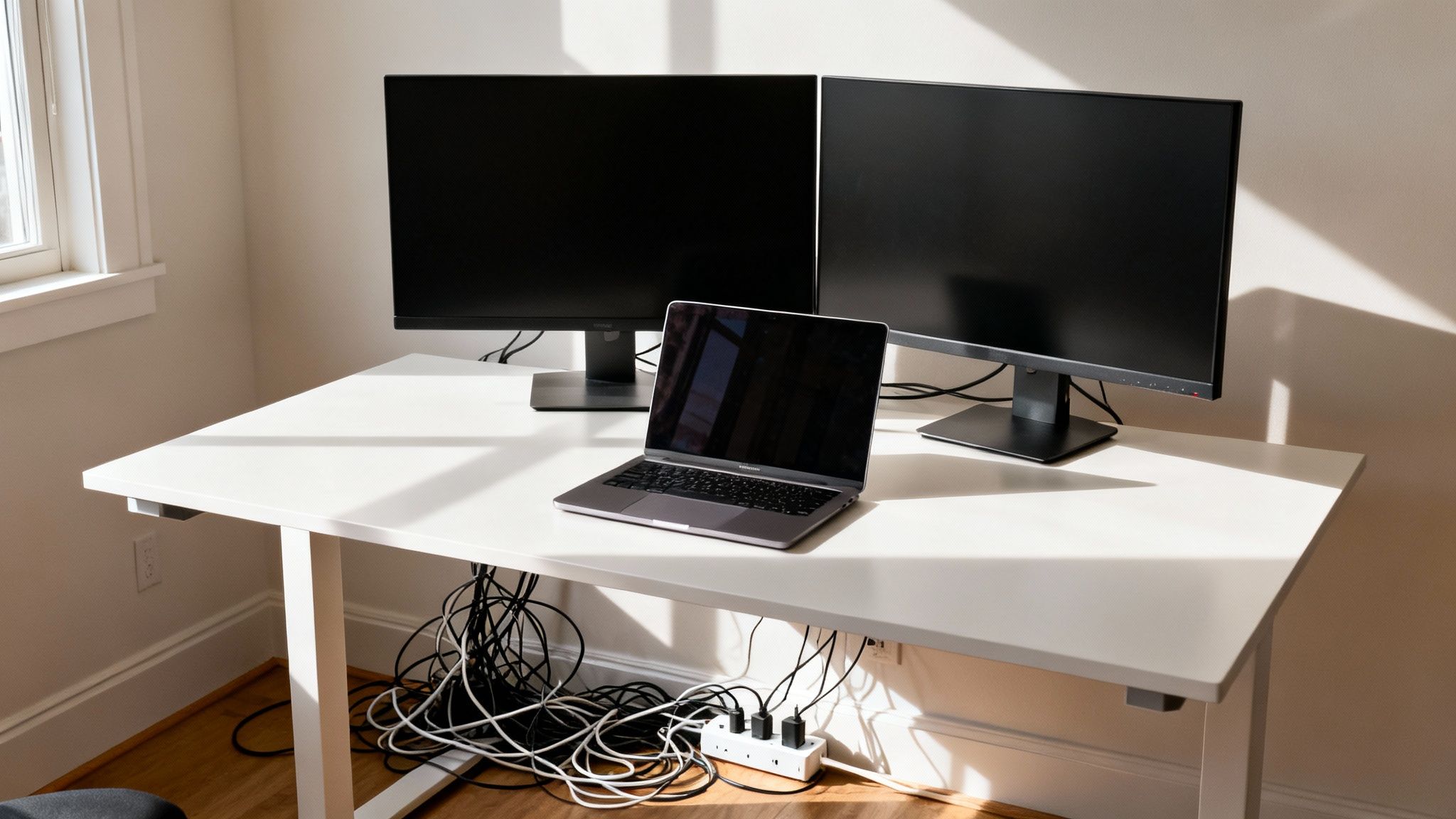
Let's be real—that tangled nest of wires under your desk is more than just ugly. It’s a low-grade source of daily frustration and a sneaky safety hazard.
Think about a typical modern setup: you've got two monitors, a laptop, maybe a docking station, plus chargers for your phone and speakers. Every single device adds another cord to the pile. Before you know it, you’re snagging your feet on cables or spending five frustrating minutes just trying to unplug the right thing.
A few zip ties might seem like a quick fix, but it's just putting a band-aid on the problem. To create a space that stays organized—even when you add a new gadget—you need a real system.
More Than Just a Pretty Desk
Getting this clutter under control pays off in ways you might not expect. There's a reason the global cable management market has ballooned into a USD 28.5 billion industry. The right solutions, like a quality cord hider kit, can slash dust buildup by up to 40%, eliminate trip hazards, and even protect your expensive electronics by preventing strain on their plugs and ports.
Even better, research shows that an organized workspace can boost your productivity by as much as 20%. It just makes sense.
A clean desk is a clear mind. When you get rid of the visual noise from all those cables, you cut down on distractions. The result is a calmer, more focused, and far more professional environment.
While we're focused on cables here, remember that this is just one piece of the puzzle. Learning how to organize a home office in a holistic way can completely change your work-from-home life.
Great cable management isn't just for Instagram-perfect setups; it's a practical goal that forms the foundation of a truly efficient desk. This guide will show you exactly how to get it done.
How to Plan Your Perfect Cable Management Strategy
Trust me, jumping into a cable management project without a plan is a one-way ticket to frustration. You'll end up with a half-finished job and a pile of supplies you don't actually need. The best cable management solutions for desk setups don't start at the store; they start with a simple, thoughtful strategy right where you sit. This prep work is easily the most important part of the entire process.
The best way to kick things off? Unplug everything. I know it sounds like a pain, but giving yourself a completely blank slate is the only way to see what your workspace truly needs. You can’t organize clutter by just shuffling it around—you have to start fresh.
Catalog and Categorize Your Cables
Once you've disconnected everything, lay out all your cables and devices. This is your chance to do a proper inventory. I find it helps to group them by what they actually do.
- Power Cords: Gather up all your power bricks, adapters, and the power strip itself. This is your power hub.
- Data Cables: Think USB-C for your monitor, Ethernet for a solid connection, and any other cables for your peripherals.
- Audio/Video: These are your HDMI, DisplayPort, and speaker wires.
When you categorize like this, you start to see the logic. All the power cables need to lead to one central spot. Your data cables will all branch out from your PC or docking station. This simple grouping becomes the foundation for your entire routing plan.
Taking a moment to plan saves you from buying the wrong stuff, sure. But it also turns a frustrating chore into a satisfying puzzle. Plus, a well-thought-out system is so much easier to manage down the road when you inevitably add or remove a device.
As you plan, it's a good idea to think about the bigger picture of your workspace. For a truly seamless setup, you can find great tips on how to design a home office, which covers all sorts of organization essentials.
Map and Measure Your Routes
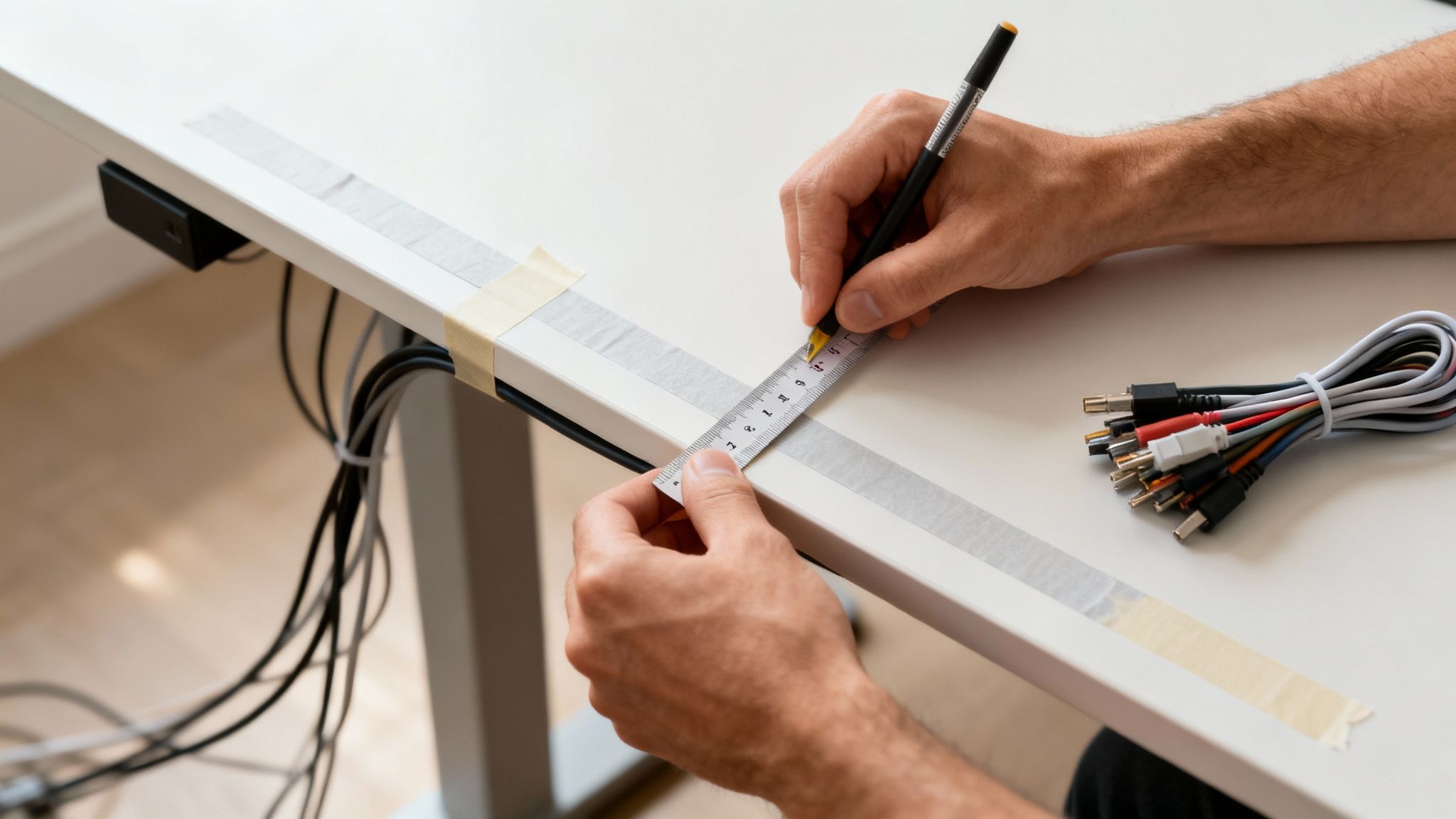
With your cables sorted, it's time to visualize their journey. Think like a city planner laying out roads—you want the most direct and hidden routes possible. I like to use painter's tape to mark the paths on the underside of my desk or along the wall. It’s a great trick that lets you see exactly how much length you'll need for each run.
Now, grab a tape measure and get precise numbers for each path you marked. This is crucial for choosing the right size cable raceways or cord hiders. There's a reason the cable management market is a USD 42.77 billion industry—it works. In fact, 75% of office workers say cable chaos is a major distraction, and a clean setup can slash electrical faults by 35%. For more detailed ideas on routing, check out our guide on the best way to organize wires.
Picking the Right Cable Management Gear for Your Desk
Okay, so you've mapped out where your cables need to go and have all your measurements. Now for the fun part: choosing the gear. The world of desk cable management solutions is huge, but finding the right tools really just boils down to your specific setup—how many cables you have, what your desk is made of, and the clean look you're after.
Think of it like building a custom toolkit. You're not going to find one magic bullet; instead, you'll combine a few different solutions to create a system that's clean, functional, and easy to maintain. Each piece has a job to do.
The Foundation: Under-Desk Trays and Baskets
First up, let's tackle the biggest mess-makers: power strips and those chunky power adapters. For this, an under-desk cable tray or basket is your best friend. These are typically metal or mesh containers that screw directly into the underside of your desk, getting that entire nest of power gear completely off the floor.
This is a game-changer. Seriously. It immediately eliminates the biggest source of clutter. These trays are perfect for any desk you can drill into (like wood or composite) and create a hidden, central hub for all your power bricks. No more kicking a power strip or accidentally unplugging your monitor.
Creating Clean Lines: Cable Raceways and Sleeves
With the bulky stuff out of the way, it's time to manage the long cable runs. This is where you bring in raceways and sleeves. They solve different problems but work beautifully together.
- Cable Raceways: These are the rigid, enclosed plastic channels that give your setup a super clean, almost built-in look. They usually come with a strong adhesive backing, making them perfect for running cables along the back edge of a desk or straight down a leg. A good quality cord hider kit is exactly what you need for this.
- Flexible Cable Sleeves: Picture a zippered fabric tube. That's a cable sleeve. They're ideal for bundling a group of cables that need to move as one—like the cluster running from your monitor arm down to your PC. They’re especially great for standing desks where you need that flexibility.
There's a reason the market for these accessories is a USD 3.10 billion industry. The right tools, like raceways, can slash visual clutter by 60%, which makes a real difference to your focus. Some adhesive raceways can even hide up to 10 cables in a single channel, and users report 90% satisfaction with how they boost both safety and aesthetics.
To help you decide what's best for your specific desk, I've put together a quick compatibility checklist.
Cable Solution Compatibility Checklist
Use this comparison to select the right product based on your desk material, cable volume, and desired permanence.
| Solution | Best for Desk Type | Cable Capacity | Installation Method |
|---|---|---|---|
| Under-Desk Tray | Wood, MDF, Particleboard | High (power strips, adapters) | Screws (Permanent) |
| Cable Raceway | Any smooth surface (wood, metal, plastic) | Medium (up to 10 cables) | Adhesive or Screws |
| Cable Sleeve | Any (especially standing desks) | Medium to High (bundles) | Wrap/Zip (Non-permanent) |
| Adhesive Clips | Any smooth surface | Low (1-2 cables per clip) | Adhesive (Semi-permanent) |
Choosing from this list isn't about picking just one; it's about combining them. A tray for the power, raceways for the long runs, and clips for the details is a classic, winning combination.
The Finishing Touches: Adhesive Clips and Ties
Finally, let's talk about the small details that tie everything together. Adhesive cable clips are brilliant for guiding a single wire along a very specific path—for instance, running your mouse cord along the underside of your desk so it never gets snagged.
For bundling cables together inside your new tray or behind your computer, grab some reusable hook-and-loop ties. They're so much better than single-use zip ties because you can easily add or remove a cable later without having to cut anything.
Pro Tip: Don't sleep on these little items. A few well-placed clips are often the difference between a pretty good cable management job and a truly professional-looking one. They prevent drooping and keep everything looking intentional.
By understanding what each of these tools is built for, you can create a truly custom solution. If you’re dealing with cords running along walls or baseboards beyond your desk, you might find our in-depth guide on using a cable cord hider helpful.
Your Step-By-Step Installation Guide
Alright, you've got your plan and your gear. Now for the fun part: turning that tangled mess into a genuinely clean and organized workspace. This is where you see the real transformation, and with a methodical approach, you can get a professional, long-lasting result.
The secret is working in a logical order. Don't just start sticking things on randomly. We’ll begin by setting up the “backbone”—your power strip—and then neatly route everything else from there.
Preparing Your Surfaces for a Secure Hold
This first step is non-negotiable, especially if you're using anything with an adhesive backing. Whether it's a sleek EVEO cable raceway or a handful of simple clips, they won't stick reliably if the surface is dirty. Dust and finger oils are the biggest enemies of a strong bond.
Grab an isopropyl alcohol wipe and give the underside of your desk, the back edge, and any other mounting points a good cleaning. Let it air dry completely for a minute or two. Taking 30 seconds to do this now will save you the frustration of having your setup fall apart in a few months.
Installing Your Under-Desk Foundation
I always start with the bulkiest items first, which means getting the under-desk cable tray or basket mounted. Position it near the back of your desk, making sure there's enough clearance so you won't be banging your knees on it. A few screws from a drill or screwdriver will get it secured firmly in place.
With the tray installed, go ahead and place your power strip inside it, but don't plug it into the wall just yet. This tray is now the central hub for all your power needs, getting that clunky strip and its associated power bricks off the floor right away. For a deeper dive, check out our guide on under-desk cable management.
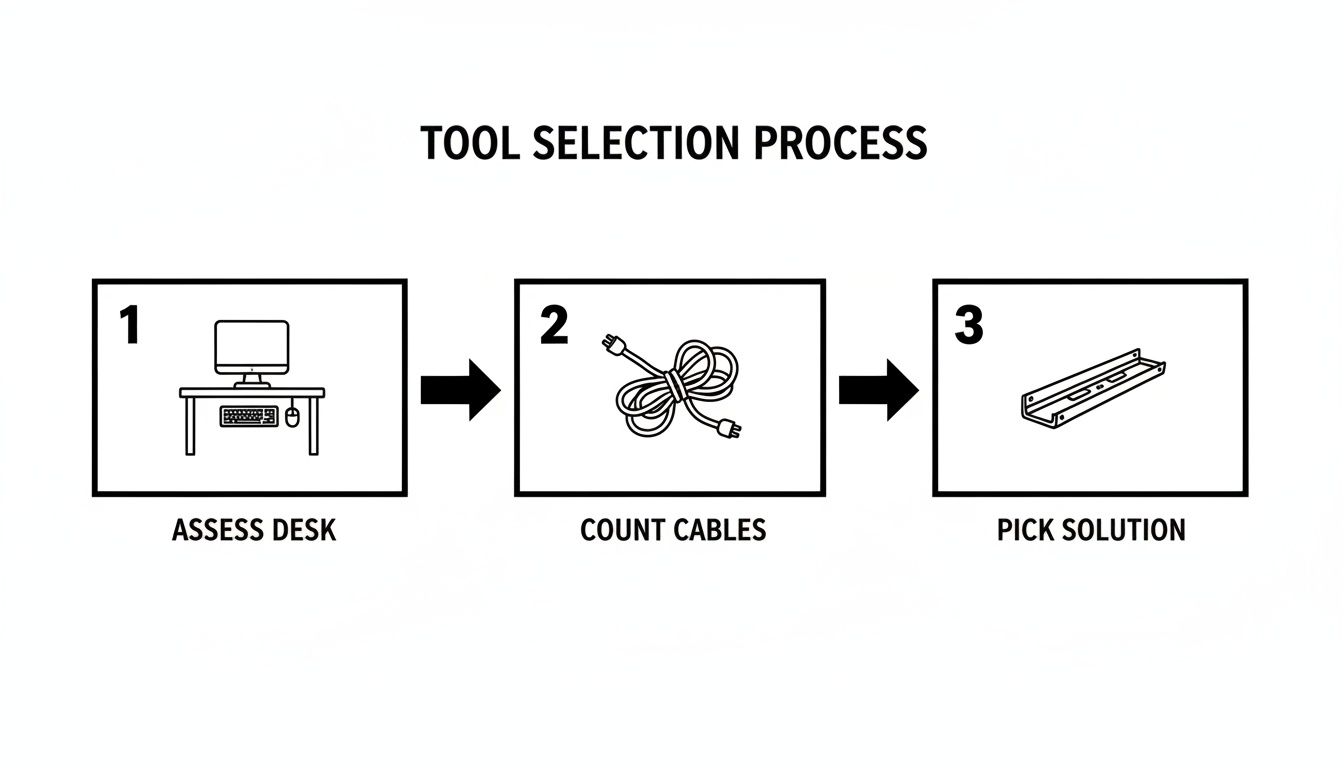
This visual really drives the point home: a great setup starts with understanding your specific desk and cable count before choosing your tools.
Creating Clean Pathways with Raceways and Clips
With the foundation in place, it's time to build the pathways. Start laying out your cable raceways along the routes you marked earlier. My trick is to peel back just a small section of the adhesive backing at a time, pressing it firmly onto the desk as you go. This helps keep the raceway perfectly straight over a long run.
My Pro Tip: Always run your cables from the device toward the power source. This seems backward, but it guarantees you have just enough cable length to plug everything in without pulling the cords tight or leaving a giant, messy pile of excess slack.
As you place cables into the raceways or guide them with clips, always leave a little bit of slack. You never want them pulled taut. A small, loose coil of extra cable—what we call a "service loop"—tucked away in the tray is a lifesaver when you need to adjust your monitor or unplug something later.
Advanced Techniques for a Polished Look
The little details are what separate a good setup from a great one. If you have a monitor arm, take the time to use its built-in cable management. Most quality arms have channels or clips designed to hide the monitor's power and display cables, creating a much cleaner, almost floating appearance.
Once everything is routed, bundle any remaining loose cables together with reusable hook-and-loop ties. The final touch is snapping the covers onto your raceways. Now, take a step back and admire your work before you plug the main power strip into the wall. This lets you make any last-minute adjustments and ensures you’re completely happy with how it looks.
Keeping Your Desk Tidy for the Long Haul
Getting your desk perfectly organized feels fantastic, but the real win is keeping it that way. The best cable management solutions for desk setups aren't just about looking good on day one; they’re built for how you actually work and live.
Let's be realistic—you're going to get a new monitor, swap out your keyboard, or add some new gadget down the road. Your system needs to be flexible enough to handle that without forcing you to rip everything apart and start over.
True sustainability in cable management comes from building in that flexibility from the very beginning. This means picking solutions that are easy to get into and adjust. For instance, instead of using single-use plastic zip ties you have to snip off, go for reusable hook-and-loop straps. This one simple change means you can unwrap a bundle, tuck in a new cable, and wrap it back up in seconds.
Making Changes Without the Headache
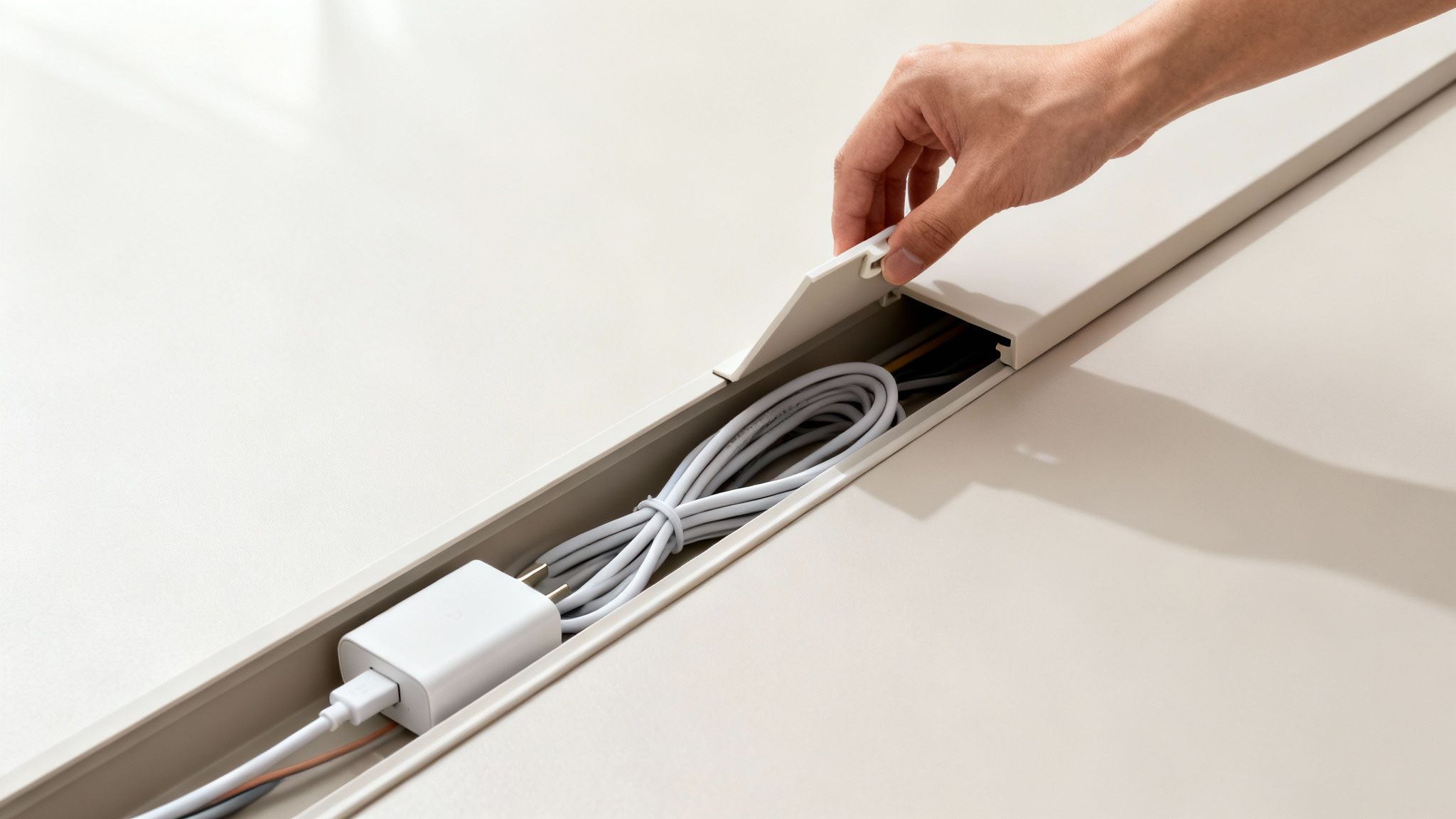
The true test of any setup happens the moment a new device shows up. If you've used something like a cable raceway with a simple snap-on cover, adding a new cord is a breeze. Just pop off the cover, lay the new wire inside, and snap it back on. No need to unstick anything or reroute a dozen other cables.
This is exactly why under-desk cable trays are so popular. They act as a central hub where you can neatly coil and store all the extra cable length.
- Adding a Device: Just run the new cable to the tray, plug it into your power strip, and wrap up the slack with a reusable tie.
- Removing a Device: Unplug it from the power strip in the tray and gently guide the cable out of its raceway or clips. Nothing else gets disturbed.
Think of it this way: you’re not building a permanent prison for your cables. You’re creating an organized highway system where adding or removing a car is a simple merge, not a ten-car pile-up.
Quick Fixes for Common Problems
Even with the best-laid plans, things can go wrong. Adhesive mounts can lose their grip over time, or you might find yourself with a new power adapter that’s way bulkier than you expected.
What to do when an adhesive mount gives up?
First, give both the mount and the desk surface a good cleaning with some isopropyl alcohol. This gets rid of any old residue, dust, or oils that caused it to fail. For a much stronger bond, ditch the original adhesive and use a high-quality, double-sided mounting tape as a replacement.
How do you handle a massive new power brick?
If your under-desk tray is already packed, this is where heavy-duty, adhesive-backed hook-and-loop strips are a lifesaver. Stick one side to the power brick and the other to the underside of your desk or even the side of the cable tray. It keeps that bulky brick secure, hidden, and completely off your floor.
Your Top Desk Cable Management Questions, Answered
Even with the best plan, you're bound to run into a few specific snags when you start wrangling wires. A modern desk setup, especially, has its own unique quirks. Let's tackle some of the most common questions that pop up during a cable management project so you can get unstuck and back to work.
What's the Best Way to Hide Cords on a Standing Desk?
With a standing desk, it’s all about managing movement. Your cables need enough slack to travel up and down with the desk without getting yanked, stretched, or caught on anything. The most reliable approach is a two-part system.
First, you need something to guide the main bundle of cables from your desk to the wall outlet. A vertical cable spine (which looks a bit like a spinal column) or a flexible cable sleeve is perfect for this. They bundle everything together while allowing for the necessary flex as the desk rises and lowers.
Second, mount an under-desk cable tray directly to the underside of your desktop. This is where you'll stash your power strip and all the connected adapters. This simple step keeps your entire power hub moving with the desk, so there's never any tension on your plugs.
How Can I Manage Cables Without Drilling Holes?
Not everyone can or wants to drill into their desk, especially if it's a beautiful piece of wood, glass, or a rental property. The good news is, you don't have to. Adhesive-backed solutions have come a long way and are incredibly effective when used correctly.
Here’s what to look for:
- Adhesive Cable Raceways: Quality cord hider kits, like the ones from EVEO, use strong, pre-applied tape that creates a solid bond but can often be removed later without peeling off your desk's finish.
- Adhesive Clips and Mounts: These small but mighty clips are fantastic for routing individual cables along the underside or back edge of your desk.
- Under-Desk Hammocks or Nets: These clever solutions use adhesive hooks to suspend a small mesh net, creating the perfect cradle for bulky power bricks and extra cable length.
The key to making any adhesive stick for the long haul is surface prep. A quick wipe-down with isopropyl alcohol to remove any dust or oils before you apply the product makes a world of difference.
A common mistake I see is people skimping on adhesive quality. Investing in a trusted product with reliable mounting tape is the difference between a setup that lasts for years and one that droops and falls apart in a week.
Are Cable Raceways Better Than Cable Sleeves?
This is a classic "right tool for the job" question. One isn't inherently better than the other; they just solve different problems.
Cable raceways are the MVPs for creating clean, straight, and permanent-looking runs. These rigid channels are unbeatable for guiding wires along the back edge of a desk, down a leg, or along a baseboard. They provide a completely concealed, structured look that feels incredibly professional.
Cable sleeves, on the other hand, are all about flexibility. Think of the bundle of cables running from your monitor down its arm to your laptop. A fabric sleeve can group those together neatly while still allowing the arm to move freely. They’re also great when you know you'll be adding or removing cables from the bundle fairly often.
How Do I Handle Those Bulky Power Bricks and Adapters?
Ah, the power brick. It’s the clumsy, heavy villain of every cable management story. Trying to tame these with a few simple clips is a recipe for frustration.
By far, the most effective solution is an under-desk cable management tray or basket. These are purpose-built to hold an entire power strip, multiple heavy adapters, and all the bundled-up slack from your power cords. You simply mount the tray under your desk and deposit all the clutter inside. It gets everything off the floor, out of sight, and contained in one central spot. This single addition makes the biggest impact on cleaning up under-desk chaos and makes vacuuming a whole lot easier.
Ready to build a workspace that's clean, professional, and free from tangled distractions? The high-quality cable management solutions from EVEO are engineered for durability and simple installation. Check out our popular cable raceways and cord hider kits to find the perfect fit for your setup. Transform your workspace at EVEO today.
A Practical Guide to Proper Sitting Posture at Computer
Best Ways to Hide Cables: Simple, Stylish Solutions for Any Space