

The best way to hide cables isn't some secret technique—it's about using the right tools in the right places. Think cable raceways for walls, clever under-desk trays for your power strips, and simple flexible sleeves to bundle everything together. These tools are the key to making messy cords disappear, turning a tangled nest of wires into a clean, organized space.
Why Cable Management Is a Game-Changer for Your Space
Let's be honest, tangled wires are more than just ugly. They create a low-key sense of chaos that can genuinely mess with your focus and productivity. The trick is to stop seeing cable management as a boring chore and start thinking of it as a serious upgrade for your home office or entertainment setup. When you embrace clutter-free living by getting those visible distractions under control, you create a much calmer environment.
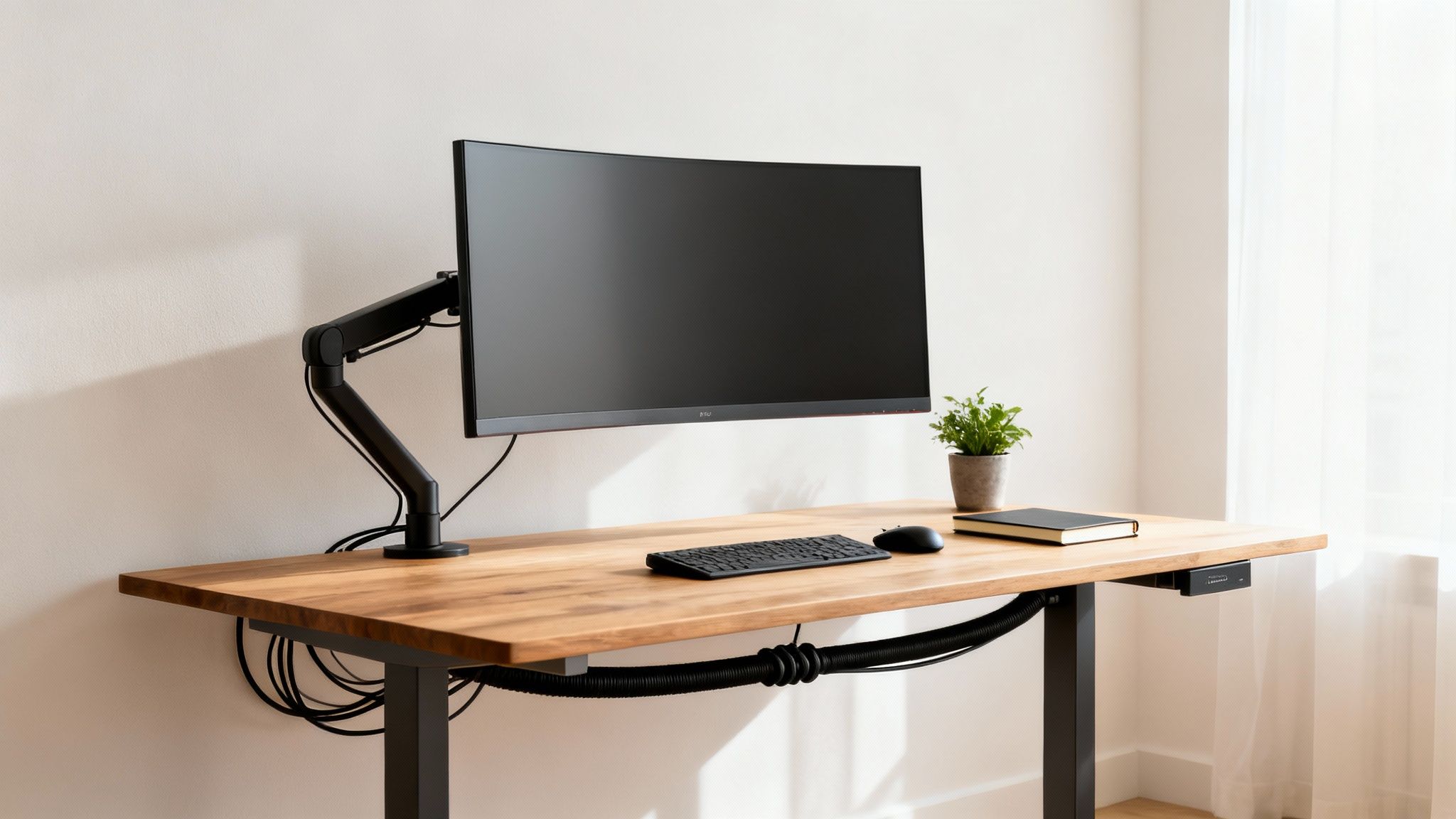
This push to organize our digital lives isn't just about looking good; it's about creating a space that's efficient and, just as importantly, safe. It's a massive trend, too. The global cable management market was valued at USD 16.23 billion in 2023 and is expected to nearly double by 2032. That's a huge number, and it shows just how many people are realizing that a tidy workspace is a productive one. When you think about how much a clean setup can slash stress and boost focus, it all makes perfect sense.
The Real-World Impact of Cord Clutter
Getting that cord clutter under control brings some very real benefits that go way beyond appearances. A streamlined setup can completely change how you feel and work in your space.
- Boost Your Focus: A clean desk really does lead to a clear mind. It’s been shown that people working from home in a cable-free environment report up to 30% higher focus because there are simply fewer things to pull their attention away.
- Massively Improve Safety: Loose cables are a trip-and-fall waiting to happen, especially if you have kids or pets running around. Tucking them away not only prevents accidents but also stops expensive electronics from getting yanked off a desk or shelf.
- Make Cleaning a Breeze: Who enjoys trying to dust and vacuum around a spiderweb of wires? It’s a pain. Once your cables are bundled and hidden, cleaning becomes a quick and easy job, which even helps improve the air quality in the room.
Tackling the cable chaos, whether it's at your multi-monitor work setup or in the family living room, creates a more peaceful and efficient home. This guide will walk you through practical solutions that prove anyone can achieve a clean, professional-looking setup.
Designing a Clutter-Free Desk and Monitor Setup
Your desk is your command center. It’s where you work, create, and focus. But for most of us, it’s also ground zero for cable chaos—a tangled mess of wires for monitors, keyboards, mice, chargers, and speakers. Getting that pristine, clutter-free look isn't about becoming a minimalist overnight. It's about smart organization that actually improves your focus and your posture.
The first move? Look up, not down. A monitor sitting on your desk eats up prime real estate and puts a cluster of cables right in your line of sight.
Switching to a quality EVEO monitor mount is a game-changer. It immediately lifts your screen, freeing up a surprising amount of desk space. This gives you that clean, "floating" monitor look and, more importantly, lets you set the screen at the perfect height to stop you from slouching. Less neck and eye strain is always a win.
Once your monitor is mounted, the cables have a natural path to follow down the arm. Good monitor arms have built-in channels or clips to tuck the power and display cords away, making them almost disappear from view.
Taming Your Peripheral Wires
Okay, monitor cables are sorted. Now what about everything else? Your keyboard, mouse, webcam, and speakers all add to the wire jungle.
This is where a flexible cable sleeve becomes your best friend. It’s one of the simplest and most effective tools in the arsenal. Just gather all the wires heading toward the back of your desk and zip them up.
Suddenly, you have one clean, manageable bundle instead of five or six separate cords. This is absolutely essential for a standing desk, as the sleeve flexes and moves with the desk as it goes up and down, so nothing gets snagged or unplugged. It’s one of the best ways to hide cables in a setup that’s always in motion.
The Under-Desk Invisibility Cloak
Here’s the real secret to a desk that looks impeccably clean: getting everything off the floor. The space underneath your desk is the perfect place to make bulky power strips, adapters, and all that extra cord length vanish.
An under-desk cable management tray is the perfect tool for the job.
These trays screw directly to the underside of your desk, giving you a hidden shelf for your power strip and all those clunky power bricks. Once the tray is in, plug everything in and use a few reusable cable ties to neatly coil up any slack. For a deeper dive, check out our ultimate guide to under-desk cable management. This trick gets everything off the floor, which makes cleaning a breeze and stops you from accidentally kicking a plug loose.
The goal isn't just to hide the cables, but to create a logical pathway for them. A well-organized system makes it easy to add or remove a device without having to untangle a frustrating mess every time.
For the final touch, use small adhesive cable clips to route the main cable bundle along the back edge or down the leg of your desk. This keeps any remaining wires from dangling. A gamer can use this method to keep their headset, mouse, and keyboard wires perfectly managed, while a professional with an ultrawide monitor can create a super-sleek setup that looks like it's powered by a single cord. This is how you transform your desk from a chaotic tangle into a space that’s organized, inspiring, and ready for work.
Achieving a Seamless Wall-Mounted TV Experience
A wall-mounted TV can be the sleek, minimalist centerpiece of a living room. But that clean look is instantly shattered by a tangle of HDMI and power cords dangling underneath. Dealing with these wires is one of the most satisfying cable management projects you can tackle in your home.
You've got two main paths to take: hiding the cables inside the wall or concealing them with on-wall cord covers. Both get you to a clean finish, but they're worlds apart in terms of effort, cost, and how permanent they are. The right choice really comes down to your home, your comfort level with DIY projects, and whether you're a renter or an owner.
The In-Wall Concealment Method
If you're after a completely invisible, professional-grade finish, routing your cables behind the drywall is the gold standard. This involves cutting a small hole in the wall behind your TV and another one down near your outlets, then fishing the wires through the wall cavity using a special kit.
The result is flawless—zero visible wires. Period. But it does take a bit more elbow grease and a few specific tools, like a stud finder and a drywall saw.
One thing to take very seriously here is safety. You can't just run your TV's standard power cord inside the wall; it’s not rated for that and is a major fire hazard that violates electrical codes. You absolutely must use an in-wall power kit specifically designed for this job.
The Simplicity of On-Wall Raceways
Not keen on cutting into your walls? I don't blame you. On-wall raceways are a fantastic, damage-free alternative that anyone can handle. These are simply slim plastic channels that stick right onto your wall, tucking the cables neatly inside. What you're left with is a single, clean line running from your TV to the outlet.
This is a perfect solution for renters or anyone looking for a quick win. A quality cord hider kit from EVEO comes with strong adhesive and installs in minutes. The best part? The raceways are paintable. A quick coat of paint to match your wall color, and the channel virtually disappears, looking more like a piece of subtle wall trim.
This flowchart can help you decide where to start with your biggest cable messes.
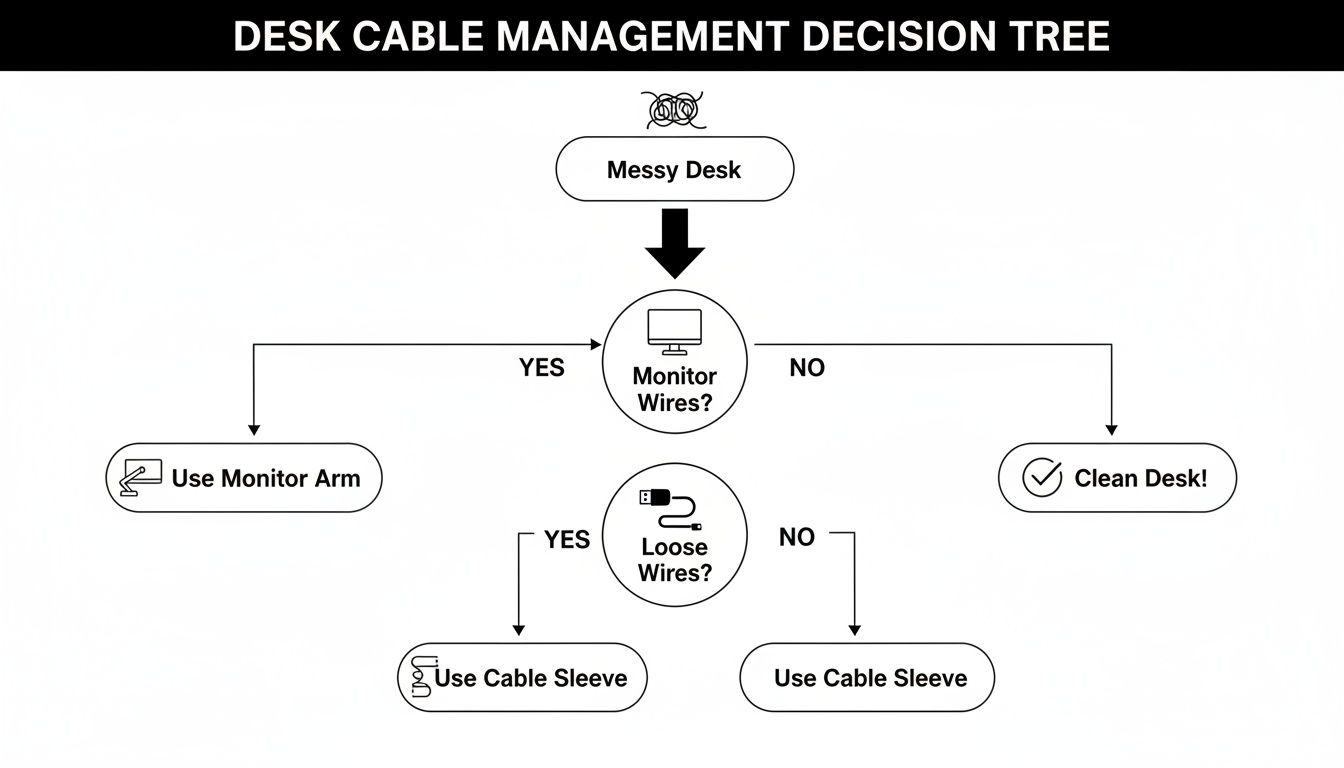
As the visual guide shows, it's often best to tackle the biggest offenders first, like your monitor and peripheral wires, before you sweat the small stuff.
Hiding TV Wires In-Wall vs On-Wall Raceways
Deciding between cutting into your walls and using an adhesive raceway can be tough. This quick comparison should help you figure out the best method based on your home, skill level, and budget.
| Feature | In-Wall Concealment | On-Wall Raceways (e.g., EVEO Kits) |
|---|---|---|
| Final Appearance | 100% invisible. Cables are completely hidden from view. | A sleek, paintable channel that blends into the wall. |
| Installation Effort | Moderate to high. Requires cutting drywall and fishing wires. | Very low. Peel-and-stick application takes minutes. |
| Required Tools | Stud finder, drywall saw, drill, fish tape. | Scissors or a small saw to cut the raceway to length. |
| Best For | Homeowners seeking a permanent, professional installation. | Renters, beginners, or anyone wanting a fast, non-damaging fix. |
| Cost | Generally more expensive due to the cost of the in-wall kit. | Very affordable and often comes in a complete kit. |
| Permanence | A permanent solution that requires patching if removed. | Semi-permanent. Can be removed with minimal wall touch-ups needed. |
Ultimately, both are great options. The in-wall method offers an unbeatable finish if you're up for the project, while on-wall raceways deliver about 90% of the visual benefit for 10% of the effort.
It's no surprise that simple, effective solutions are in high demand. The wire and cable management market is projected to reach US$26.4 billion by 2025, with raceways being a top choice for hiding wires flush against a wall. They’re a perfect fit for home entertainment setups, where visible clutter is a known stressor, and their popularity is only growing as more people adopt smart home tech.
Bringing Order to Every Corner of Your Home
Cable clutter isn’t just a home office problem; it seems to find its way into every room. From the bedroom to the kitchen, those tangled messes can really disrupt the look and feel of your space. The good news is that with a few clever tricks, you can tackle these problem areas for good.
Let's start with some of the most common culprits.
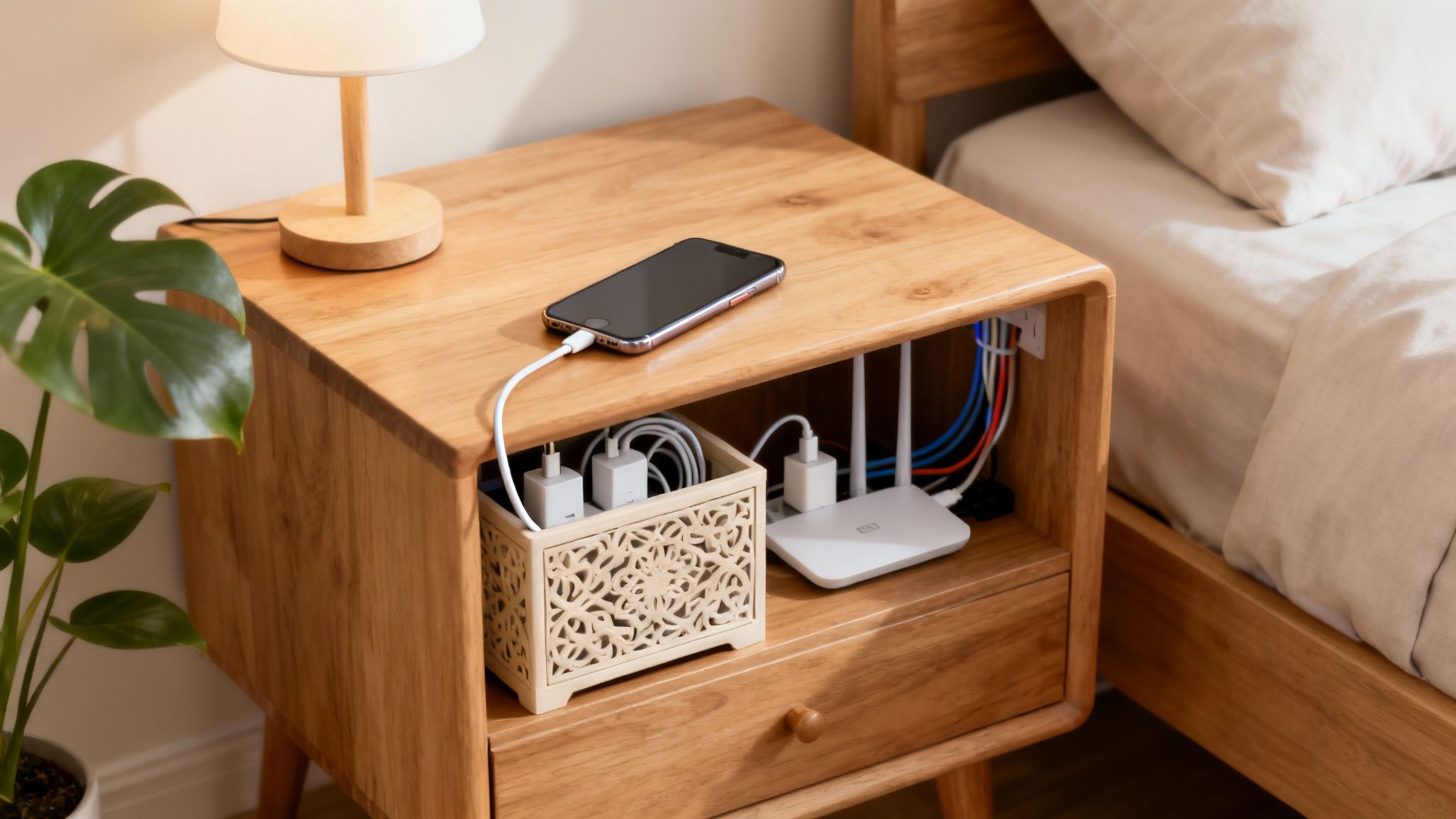
Think about your nightstand. It’s a magnet for lamp cords, phone chargers, and maybe a smartwatch cable. Instead of letting them pile up, grab a decorative box. A simple wooden box or a woven basket can easily hide a small power strip inside. I usually drill a single, discreet hole in the back for the main power cord, and just like that, you've created a hidden charging station that actually looks good.
Clearing Off the Kitchen Counter
The kitchen is another battleground. Between the coffee maker, toaster, stand mixer, and blender, countertops can quickly become a mess of wires. The goal here is to get those cords up and out of the way.
My go-to solution is using small, under-cabinet adhesive hooks or clips. You can wrap up the extra cord length from your appliances and tuck it neatly underneath the upper cabinets. It's a surprisingly effective trick that frees up counter space and makes the whole kitchen feel instantly more organized.
Taming the Router and Modem Mess
Let's be honest, the modem and router are necessary but they’re not pretty. Hiding this central tech hub is easier than you think and can make a huge difference.
- Try a “Breathable” Basket: I love using woven baskets for routers. They hide the device perfectly, but the open weave allows for plenty of airflow, which is critical to keep your gear from overheating.
- Hollowed-Out Books: This is a fun one. You can find faux book stacks online that are hollowed out, creating the perfect disguise for a router sitting on a bookshelf.
- A Dedicated Cable Box: For a super clean look, a purpose-built cable management box can contain the router, modem, and power strip all in one place. It turns a chaotic tangle into a single, tidy unit.
A well-managed power setup isn't just about aesthetics; it’s about protecting your expensive equipment. If you’re a tech enthusiast or have a nice audio system, combining a quality surge protector with a raceway not only hides the wires but also keeps them safe from getting snagged or damaged.
For those who want to take it a step further and create a truly permanent, invisible solution, it's worth looking into Wiring Home Automation techniques. This involves a more integrated approach, often running cables inside walls for a completely seamless finish. By applying these room-specific strategies, you can finally win the war against cord clutter and enjoy a more peaceful, organized home.
Choosing the Right Cable Management Tools for the Job
Tackling a mess of cables is a lot like any other home project: having the right gear is half the battle. You wouldn't use a hammer to drive a screw, and you definitely shouldn't grab a flimsy zip tie when what you really need is a full-blown raceway kit. Once you understand what each tool is designed for, you can build a personalized cable management toolkit that solves problems the right way, the first time.
Think about it in practical terms. A flexible cable sleeve is a lifesaver for a standing desk, where wires need to bend and stretch as you move. On the other hand, a rigid, paintable raceway is the perfect, permanent solution for hiding the cords dangling from a wall-mounted TV. Each tool has its place.
Your Go-To Cable Hiding Arsenal
Let’s break down the essentials. For bundling a group of wires behind your desk or entertainment center, reusable cable ties or fabric sleeves offer fantastic flexibility. If you just need to tame a single rogue cord running along a baseboard, a few small adhesive clips can be a quick and nearly invisible fix.
But for bigger, more permanent jobs, you need to bring in the heavy hitters. This is where dedicated products really prove their worth, and they’re a huge part of an industry projected to hit USD 52.83 billion by 2034. Cable trays, for example, are no longer just for massive office buildings. The principle behind them—getting cables up and out of sight—is universal. It prevents distractions for 55% of professionals and can even extend the life of your gadgets by preventing snags and damage. You can dig deeper into the growth of the cable management market to see just how big this is getting.
The key is to diagnose your specific cable problem first, then select the tool designed to solve it. Don't just grab the first thing you see; a little strategy goes a long way.
When you're staring at a power strip with a nest of bulky adapters, a cable management box is your best friend. It’s essentially a sleek container that swallows the entire power strip and its mess, turning that chaos into a single, clean unit. This works beautifully behind a TV console or under a desk. For an even cleaner look, an under-desk mounted tray gets everything completely off the floor and out of sight.
To get a better sense of which solution fits your exact situation, check out our detailed guide on the different types of cord hiders.
Your Essential Cable Management Toolkit
Making the right choice can feel a bit overwhelming with all the options out there, but it doesn’t have to be. I've put together this quick-reference table to break down the most common tools and their ideal uses, helping you instantly spot what you need for a perfectly organized space.
| Tool/Product | Best For | Key Feature |
|---|---|---|
| Cable Raceways | Hiding TV, speaker, or lamp cords running along walls. | A rigid, adhesive channel that can be painted to match wall color. |
| Flexible Sleeves | Bundling multiple computer or standing desk cables together. | A soft, zippered tube that allows for movement and flexibility. |
| Adhesive Clips | Securing single, thin wires along desk edges or baseboards. | Small, discreet hooks that stick to surfaces without damage. |
| Cable Boxes | Concealing power strips and bulky adapters on the floor. | A simple, ventilated container that hides the entire power hub. |
| Reusable Ties | Tidying up excess cord length behind furniture or inside boxes. | Adjustable and easy to add or remove cables as needed. |
With this breakdown, you can confidently pick the right product for any cable mess, ensuring your setup is as clean and professional as it is functional.
Answering Your Top Cable Hiding Questions
Even after you've got a plan, a few tricky situations can pop up. Over the years, I've heard just about every question there is when it comes to wrangling wires, especially with unique setups or concerns about wall damage. Let's tackle some of the most common ones.
Are Adhesive Cable Raceways Actually Safe For Painted Walls?
Absolutely, as long as you use a quality product and handle it with a bit of care. I've used them in countless apartments and homes without issue. The secret isn't in the sticking, it's in the removal.
First, make sure the wall is clean and dry before you even think about applying the raceway—that ensures a solid bond. When it’s time to take it down, don't just rip it off the wall. Grab a hairdryer, warm up the adhesive for about a minute, and you'll find it softens right up. Then you can peel it away slowly, leaving your paint perfectly intact. It’s a game-changer for renters.
How Do I Hide Cables For A Standing Desk That Moves?
Standing desks are fantastic, but they introduce a new challenge: movement. Any cable solution you use has to be flexible, otherwise you risk unplugging your monitor or yanking a cable out of your PC every time you stand up.
A cable sleeve is my go-to for a quick and effective fix. It’s essentially a fabric tube that bundles everything together into one flexible snake that moves right along with your desk. For a more structured approach, look into a cable spine. These are segmented tracks that bend and straighten as your desk raises and lowers, keeping every wire perfectly managed and protected at any height.
The single biggest mistake you can make with a standing desk is using a rigid cable management system. You need something that moves with you, or you’re just asking for trouble.
What's The Best Way To Deal With Bulky Power Strips And Adapters?
Get them off the floor. Seriously. That's 90% of the battle. The easiest way to do this is with an under-desk cable management tray. It’s a simple metal basket you screw to the bottom of your desk, creating a hidden shelf for that clunky power strip and all its adapter friends.
If drilling into your desk isn't an option, a cable box is your next best bet. It’s a sleek container that you place on the floor (or desk) to hide the entire power strip and the mess of wires plugged into it. It instantly transforms that tangled nest into one clean-looking box. Both options are lifesavers for decluttering the most chaotic part of any setup.
Ready to create a clean, organized, and more productive space? At EVEO, we design premium monitor mounts and cable management solutions that make it easy. Explore our collections and find the perfect tools to transform your workspace at https://eveo.store.
Cable Management Solutions for Desk: Declutter Your Workspace Today
How to Clean Laptop Screen Safely: how to clean laptop screen safely Guide