
The best way to wrangle your cables for good is to follow a simple, four-part strategy: Assess, Group, Route, and Secure. Think of it as a professional blueprint that transforms that tangled nest of wires into a clean, orderly system. You start by taking inventory, group the wires by what they do, map out a clean path, and finally, lock everything down. It’s a repeatable process that works for any setup, from your desk to your home theater.
Your Blueprint for Conquering Cable Chaos
Staring at that spaghetti junction of wires behind your desk can feel overwhelming. I get it. But with a structured approach, the task becomes manageable—and honestly, pretty satisfying.
The key is to stop thinking of it as just "tidying up." Instead, treat it like a strategic project. This isn't just about making things look nice; it’s about creating a safer, more functional, and easier-to-manage environment for all your tech.
And you're not alone in wanting a solution. The global cable management market was valued at USD 25.75 billion in 2025 and is projected to hit USD 31.57 billion by 2031. That’s a clear sign that people everywhere are actively looking for ways to solve wire clutter for good.
The Four Pillars of Cable Organization
Breaking the process down into distinct phases keeps you from getting lost in the weeds—or in this case, the wires. Each step builds on the last, creating a logical workflow that actually gets results.
- Assess: First things first, unplug everything. Identify every single cable. Decide which ones are essential, which are too long or short, and which can be retired completely.
- Group: Next, bundle cables together based on their purpose. Power cords go in one group, data cables (like USB and Ethernet) in another, and your video/audio lines (HDMI, DisplayPort) in a third.
- Route: Now, plan the cleanest path for each cable group from its device to its destination. The goal is to create straight, logical lines that are as hidden as possible.
- Secure: Finally, use tools like ties, clips, and sleeves to fasten your routed cables in place. This ensures they don't move, tangle, or undo all your hard work.
This simple flow is your roadmap to success.
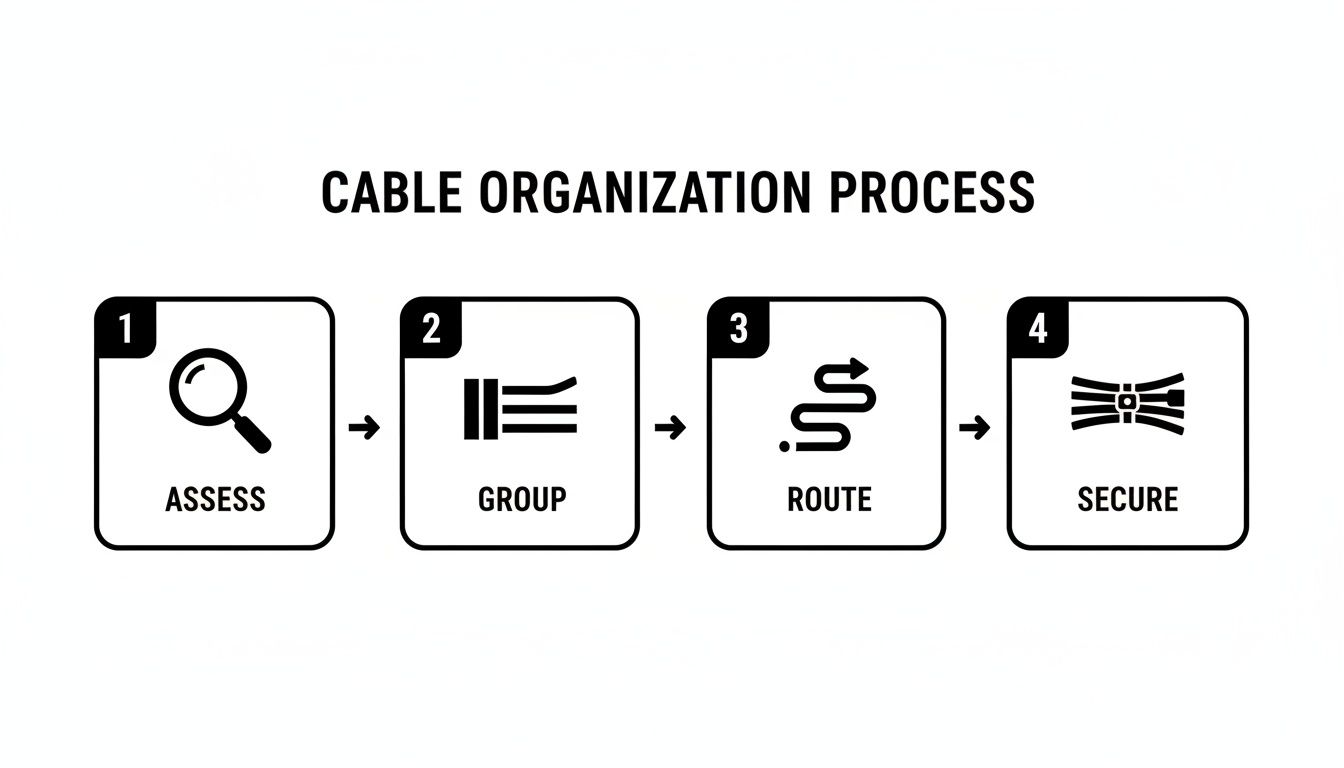
This method provides a clear path forward, turning a chaotic task into a series of simple, actionable steps.
For bigger projects, like running speaker wire along a wall or hiding TV cords, you'll want to explore ways to conceal the routes you've planned. If that's your goal, you might be interested in our guide on using raceway cable management to achieve that perfectly clean, professional finish.
Your Cable Management Starter Kit
Getting started is a lot easier when you have the right tools on hand. Think of these as the essential building blocks for nearly any cable organization project you'll tackle.
| Tool | Primary Use | Problem Solved |
|---|---|---|
| Cable Ties (Velcro/Reusable) | Bundling related cables together into a single, manageable group. | Prevents individual cords from tangling and creating a "nest." |
| Cable Sleeves/Wraps | Enclosing a bundle of cables in a protective, flexible tube. | Hides multiple wires in one neat package and protects them from pets or abrasion. |
| Adhesive Cable Clips | Securing individual or small bundles of cables along a surface. | Keeps cables running neatly along the back of a desk or up a wall. |
| Cable Box/Organizer | Hiding a power strip and all its connected plugs and adapters. | Eliminates the ugly, dusty mess of plugs and excess cable length on the floor. |
| Raceways/Cord Covers | A plastic channel that hides cables running along walls or baseboards. | Provides a clean, paintable solution for hiding visible wires in a room. |
With just a few of these items, you can solve the most common cable clutter headaches and finally get the clean, organized space you've been wanting.
The Essential Toolkit for Perfect Cable Management
A good plan is one thing, but having the right gear to pull it off is another. The real secret to turning that tangled nest of wires into a clean, organized system is a small toolkit of specialized accessories. These aren't just random bits of plastic; they're purpose-built solutions that make the whole process faster, easier, and way more satisfying.
It’s no surprise the market for these solutions is growing. Our lives run on cables. The global cable assembly market, which hit USD 217.6 billion in 2026, is expected to climb to an incredible USD 331.55 billion by 2032. That's a clear sign that managing these vital connections is something everyone needs to do. You can see the full picture when you explore more data on the global cables market.
Fundamental Tools for Bundling and Securing
Before you can think about hiding anything, you have to create some order. It all starts with grouping your cables into neat, manageable runs.
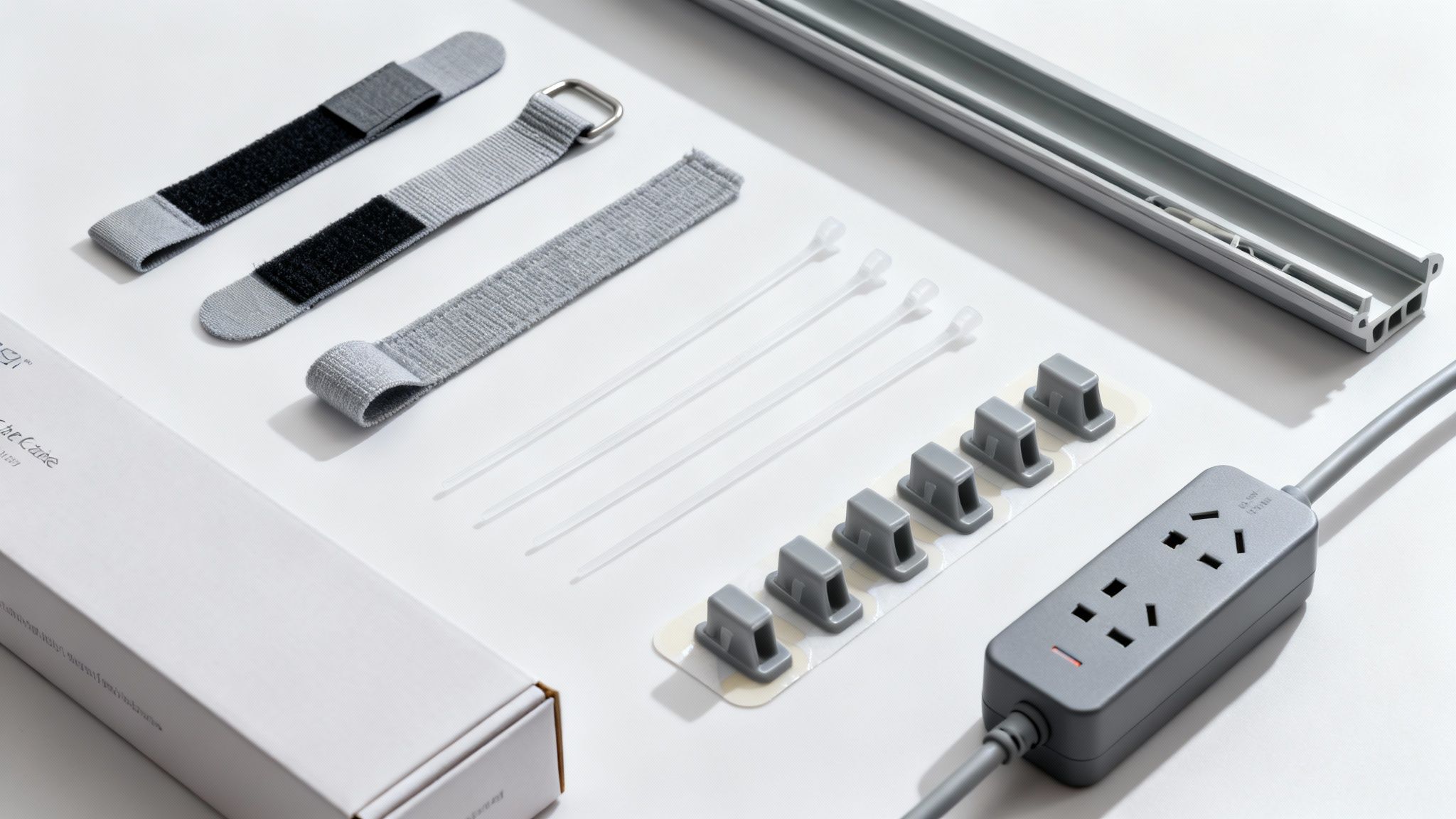
- Reusable Cable Ties: Think of Velcro straps as your go-to tool. They're perfect for bundling cables behind your PC or entertainment center—any place where you might need to add or remove a device later on.
- Zip Ties: For setups that are more permanent, zip ties offer a super secure, low-profile hold. They’re fantastic for locking down internal computer cables or securing a bundle of wires to a monitor arm.
- Cable Sleeves: This is my personal favorite. When you've got a handful of cables all heading in the same direction, a neoprene or braided sleeve is the cleanest way to consolidate them into one tidy tube. A single sleeve from your desk to the wall just looks infinitely better than six or seven loose cords dangling everywhere.
These basic tools are the foundation of any great cable management project. Get this part right, and the rest is easy.
Pro Tip: When you're using zip ties, resist the urge to pull them as tight as possible. Leave just a tiny bit of slack. Overtightening can pinch the delicate wires inside and cause connection issues down the road.
Solutions for Hiding and Concealing
Okay, your cables are bundled. Now for the fun part: making them disappear. This is how you achieve that minimalist, professional look you see in all those slick desk setup photos.
Adhesive cable clips are small, but they’re incredibly useful. You can use them to trace a single cable, like for your mouse or keyboard, right along the back edge of your desk so it's completely out of sight. A perfect example is running a webcam wire under your monitor stand and securing it with a few clips—instant invisibility.
For that ugly cluster of plugs and bulky adapters around your power strip, a cable management box is a lifesaver. You literally just drop the entire power strip inside, thread the cords through the slots, and pop the lid on. It single-handedly eliminates the biggest source of visual clutter on the floor.
Finally, if you have wires running along a wall or baseboard—like for a mounted TV or surround sound speakers—cable raceways are the ultimate finishing touch. These are just adhesive plastic channels that stick to the wall. You tuck the cables inside, snap on the cover, and you're done. The best part? Most are paintable, so you can make them blend right into the wall.
Creating a Distraction-Free Workspace
For most of us, our desk is the command center. It’s where we work, create, and connect. But when it’s overrun with a tangled mess of wires, it’s not just an eyesore—it’s a source of constant, low-level distraction that slowly chips away at our focus and productivity.
The secret to organizing your workspace cables isn't just about hiding them. It's about building a smart, functional system that makes your technology fade into the background, so you can concentrate on what actually matters.
Elevate Your Power Source
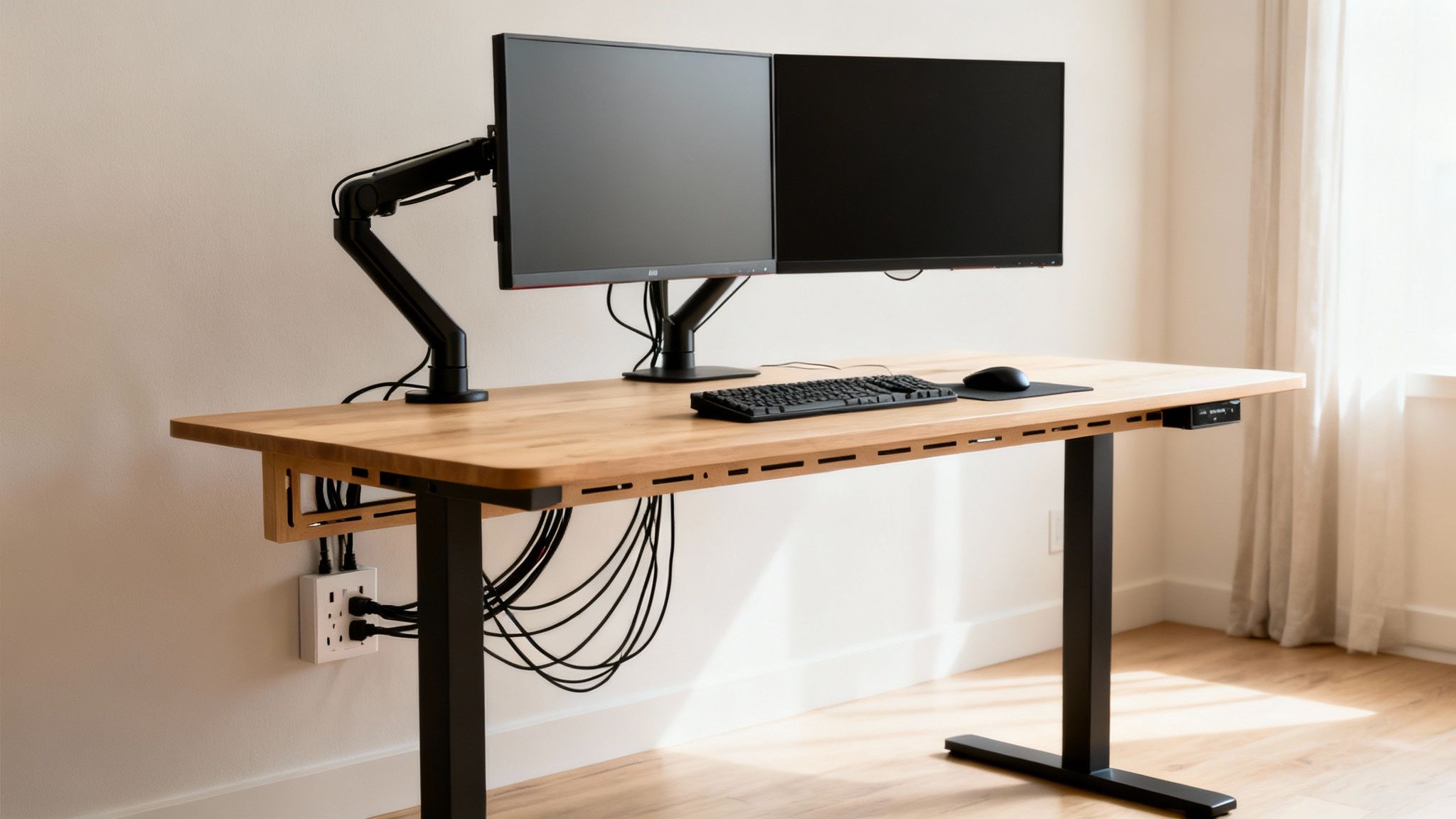
If you do just one thing to clean up your desk, make it this: get your power strip off the floor. Mounting it to the underside of your desk is a total game-changer. That dust-bunny nest of wires and bulky adapters cluttering up your foot space? Gone. Instantly.
By attaching the power strip directly to your desk, all your device cables—monitors, speakers, chargers—can be plugged in neatly and out of sight. This leaves only a single, clean power cord running from the desk to the wall outlet. It creates an incredibly tidy foundation to build on.
For a detailed walkthrough, check out our complete guide on how to organize cables under your desk.
Master Your Monitor and Peripheral Cables
Today's desk setups, especially with dual or ultrawide monitors, bring a whole new level of cable chaos. Taming these is the key to achieving that clean, minimalist aesthetic.
- Lean on Your Monitor Arms: Many great ergonomic monitor arms have built-in cable management channels. These are your best friend. They let you feed power and display cables right through the arm, hiding them completely from the monitor down to the desk.
- Route Wires for Peripherals: For your keyboard, mouse, and webcam, a few small adhesive clips can work wonders. Use them to guide the cables along the back edge or underside of your desk. This stops them from dangling in plain sight and, more importantly, keeps them from snagging on anything.
My personal rule is pretty simple: no cable should be visible from my normal sitting position. By using the desk itself to hide the pathways, you can make the wires for your essential gear practically disappear without giving up any functionality.
Standing Desk Considerations
If you're a standing desk user, flexibility is everything. Your cables need enough slack to move smoothly as the desk raises and lowers, but not so much that they become a tangled heap underneath.
The best solution here is to bundle all the cables coming from your monitors and accessories into a single, flexible cable sleeve. Then, secure that sleeve to the desk's frame, leaving a gentle "S" curve in the bundle. This little trick allows the cables to extend and retract without pulling on connections or getting caught.
It's a small detail, but it ensures your setup stays perfectly organized and reliable at any height.
For a quick reference, here’s how different solutions stack up against common desk cable frustrations.
Common Desk Cable Problems and Solutions
| Problem | Good Solution | Better Solution | Best Solution |
|---|---|---|---|
| Power strip & adapters on the floor | A cable box on the floor to hide the clutter. | Velcro straps to bundle cords together. | An under-desk cable management tray to hold the power strip and all excess wires. |
| Visible monitor cables | Using zip ties to bundle them behind the monitor stand. | A basic cable sleeve to group them into one bundle. | A monitor arm with integrated cable channels to hide them completely. |
| Dangling mouse/keyboard wires | Tucking them behind desk objects. | Adhesive cable clips to route them along the desk edge. | A wireless mouse and keyboard to eliminate the cables entirely. |
| Cable mess with a standing desk | Leaving extra-long cables loose to allow for movement. | A flexible cable sleeve to contain the bundle of wires. | A cable management spine that attaches to the desk and guides cables neatly to the floor. |
By combining these techniques, you can transform your workspace from chaotic to calm. It’s a project that pays you back with clarity and focus every single day.
Organizing Your Home Entertainment Center
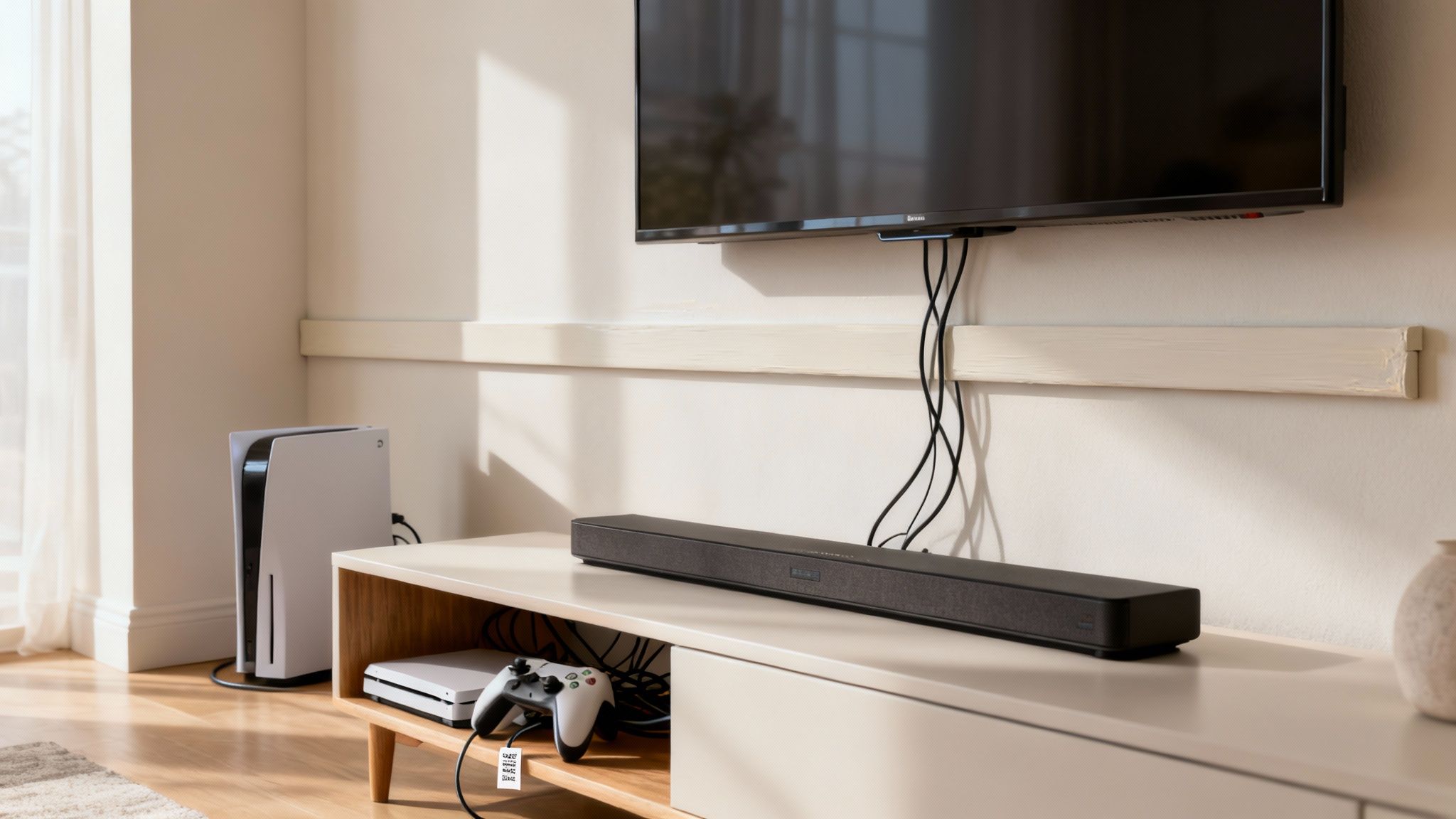
The living room is often ground zero for cable chaos. It's a familiar sight: the beautiful new TV is on the wall, but a tangled mess of wires for the soundbar, gaming consoles, and streaming devices is dangling beneath it. Reclaiming this space isn't just about looks; it's about creating an entertainment hub that's clean, safe, and works without a fuss.
Taming these cords starts with a smart plan for hiding and routing them. You're dealing with a mix of thick power cords, stiff HDMI cables, and delicate speaker wires, and each needs a slightly different touch. The real goal is to make the technology disappear, so all you see is the screen.
Hiding Cords for a Clean Look
Nothing ruins the sleek profile of a wall-mounted TV faster than a waterfall of dangling cables. The most professional fix for this is a cable raceway or cord cover. These are simple, adhesive channels that stick right to your wall, letting you tuck all those wires inside for a seamless look.
- Cable Raceways: These are perfect for grouping several cords together, like the power and HDMI cables running from your TV. You can even paint them to match your wall, making them practically invisible.
- Cord Bundles: For the cables behind the media console, a simple cable sleeve can bundle everything heading to the power strip. This instantly turns that multi-colored nest of wires into a single, neat tube.
Using these tools is the secret to getting that clean, "floating TV" effect. For a deeper dive, check out our guide on finding the perfect TV cable cord cover for your specific setup.
My Favorite Trick: Before bundling anything, label both ends of every single cable. A simple label maker or even a piece of masking tape with "HDMI 1 - TV" and "HDMI 1 - Console" written on it will save you an incredible amount of frustration later when you need to unplug just one thing.
Taming the Media Console Jungle
The space behind your entertainment center is where the real battle is won or lost. It's the meeting point for gaming consoles, sound systems, streaming boxes, and all their associated wires.
Start by grouping cables based on their destination. Route all the power cords toward one side of the console and all the HDMI and audio cables toward another. This simple step keeps them from crossing over and creating that familiar tangled web. Use reusable velcro ties to create these neat bundles—they're much easier to adjust than zip ties.
Next, get that power strip off the floor. If you can, use some adhesive strips to mount it to the back of the media console itself or hide it inside a cabinet. This not only makes the area look tidier but also makes cleaning a whole lot easier. By combining smart routing with simple tools, you can finally win the war against entertainment center wire clutter.
Cable Management for Life on the Go
That tangled mess of wires isn’t just a problem at your desk or TV stand. The same chaos can easily follow you into your backpack, your briefcase, and even your car. The secret to taming those on-the-go cables is to stop thinking of them as loose items and start creating dedicated, compact kits that keep your tech accessible, no matter where you are.
For anyone who travels or commutes, a small gear organizer or tech pouch is a total game-changer. Instead of just tossing a charging brick, a power bank, and a handful of cables into your bag, these pouches give everything a home with dedicated loops and pockets. This simple change keeps everything secure and ends that frustrating moment of digging for the right cable, only to pull out a knotted-up bird's nest.
Your Essential Travel Tech Kit
A well-organized travel kit does more than just save space—it actually protects your gear from the daily bumps and grinds of travel. Think of it as your grab-and-go station for all your mobile power needs.
Here are a few quick tips for building the perfect portable system:
- Go Short on Cables: You almost never need a six-foot charging cable in your backpack. Swapping to one- or two-foot cables dramatically cuts down on bulk and makes tangles nearly impossible.
- Consolidate Your Charger: Ditch the separate power bricks for your phone, watch, and tablet. A single, modern GaN charger with multiple USB-C and USB-A ports can replace them all, freeing up a surprising amount of space.
- Bring Reusable Ties: A few small, reusable velcro ties are perfect for keeping your shorter cables neatly coiled inside your pouch, so they’re always ready to use.
This approach transforms your bag from a mobile junk drawer into a highly efficient hub for all your devices.
Taming Wires in Your Vehicle
The same logic applies to keeping your car's interior clean and, more importantly, safe. Loose charging cords, dash cam wires, and audio cables can quickly become a distraction or even a hazard. The goal here is to route these cables so they are functional but completely out of sight.
Pro Tip: To get a clean, factory-installed look for a dash cam, gently tuck its wire into the headliner and run it down along the A-pillar trim. A few small, clear adhesive clips are perfect for guiding the wire discreetly down the dashboard to its power source.
For your daily charging cables, try routing them from the center console along the edges of the seats or tucking them under floor mats. By using your car’s existing trim and contours as natural hiding spots, you can keep your essential cables right where you need them without adding to the clutter. It’s a small effort that makes your car’s interior feel cleaner, more organized, and safer on every drive.
Keeping Your Setup Organized for the Long Haul
Getting your cables under control is a great feeling, but the real challenge is keeping them that way. A truly functional setup isn't something you set and forget; it’s a living system that needs to adapt as you add new tech—without letting the dreaded cable monster creep back in.
This is where thinking long-term makes all the difference. The goal is to build a system that’s just as easy to modify as it is to look at.
That's why I always recommend reusable cable ties, like velcro straps, over single-use zip ties. When you get that new monitor or upgrade your sound system, you can just unwrap a bundle, add the new cords, and cinch it back up in seconds. No scissors, no hassle.
Similarly, labeling every single cable at both ends is a lifesaver. It’s a simple step that turns a future game of "unplug-and-pray" into a quick, two-second fix when you need to track down a specific device.
Building a Safe and Sustainable System
An organized setup is more than just clean—it's safer. As your system grows and changes, keeping a few safety fundamentals in mind is crucial for protecting your gear and yourself. A minimalist look should never come at the cost of creating a hidden fire hazard.
Follow these practices to keep things tidy without cutting corners on safety:
- Prevent Overloading: Whatever you do, never "daisy-chain" power strips by plugging one into another. It's a massive fire risk. Your main power strip should always plug directly into a wall outlet, and you should never exceed its maximum load.
- Ensure Proper Airflow: Those power bricks and adapters get hot for a reason. Cramming them into a sealed box or burying them under a mess of cables is a recipe for overheating, which can shorten their lifespan and even create a fire hazard.
- Eliminate Trip Hazards: This one seems obvious, but it’s easy to miss. Route all cables well away from any foot traffic. Even a single cord snaking across a walkway is an accident waiting to happen. Use raceways or clips to run them securely along walls and baseboards.
The best cable management systems are the ones that are easy to maintain. Think of your setup as a living part of your workspace, one that can grow and change right along with your needs.
When you prioritize flexibility and safety from the start, you’re not just doing a one-time cleanup. You’re building an organized environment that's made to last, ready to adapt to whatever new technology comes your way.
Got Questions? We’ve Got Answers.
Even with the best plan, you’ll run into tricky spots. A floating TV, a desk that moves up and down—these are the situations that can throw a wrench in your organizational flow. Here are a few common questions we get all the time, along with some practical, real-world answers.
How Do I Hide Wires for a Wall-Mounted TV?
You’ve got the beautiful, floating TV on the wall… and a hideous tangle of cables dangling below. It completely ruins the look.
The absolute cleanest approach is using an in-wall cable management kit. This lets you route everything behind the drywall, making the wires completely disappear. It’s a bit of a project, but the final result is flawless.
If cutting into your walls isn't an option (hello, renters!), an on-wall cable raceway is your best friend. These are slim plastic channels that stick right to the wall, hiding the cables inside. The best part? You can paint them to match your wall color, and they'll blend right in.
What Is the Best Way to Manage Standing Desk Cables?
Standing desks are fantastic for your health but a nightmare for cable management. The constant up-and-down movement is the real challenge here.
The key is to create one single, flexible "snake" of cables. Bundle everything together with a flexible cable sleeve or a spiral wrap. This keeps them contained but allows them to move freely.
Next, mount a power strip directly to the underside of your desk. This is a game-changer. It means all your desktop gadgets plug in right there, and you only have one single cord running from the desk to the wall outlet. Just be sure to leave enough slack in that main cord so the desk can rise to its full height without pulling or unplugging anything.
Safety Check: Is it safe to put a power strip inside a cable management box? Yes, but only if the box is specifically designed for it with proper ventilation. Overheating is a real risk. Always look for a box made from fire-retardant material and never, ever overload the power strip.
Ready to finally conquer that cable chaos? The EVEO store is packed with everything you need—from clever under-desk trays to sleek raceways—to get your space looking clean, organized, and efficient. Find your perfect cable management solution at EVEO today.
How to organize cables under desk: Simple steps for a tidy workspace
A Guide to Cable Management for Home Office Setups