
To clean a monitor screen safely, power it down and start by wiping away loose dust with a dry, clean microfiber cloth. For any stubborn smudges, lightly spray an alcohol-free screen cleaner onto the cloth—never directly on the screen—and gently wipe in one direction before buffing it dry.
Why Proper Screen Cleaning Matters
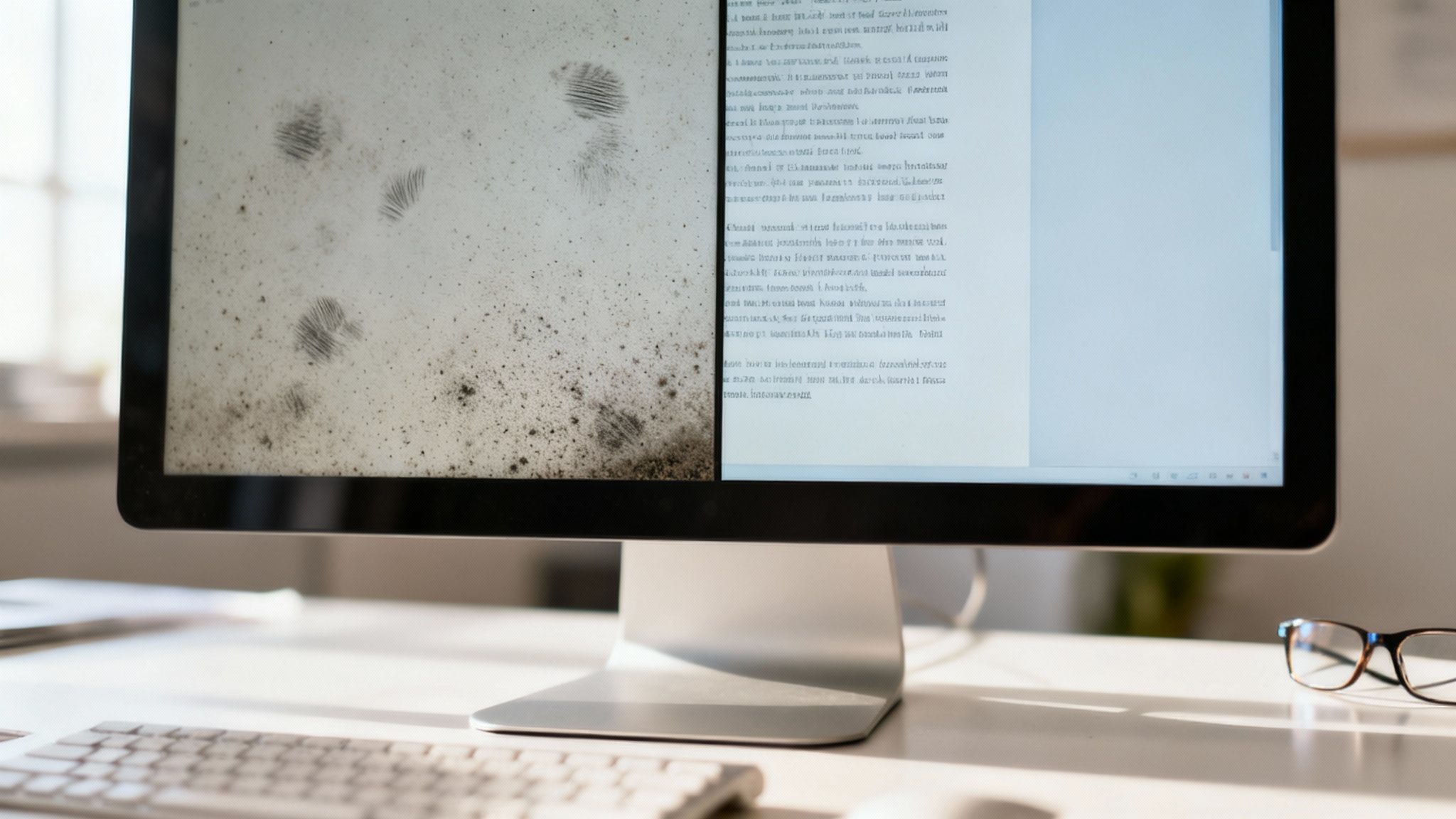
That layer of dust, fingerprints, and mystery smudges on your display does more than just look messy. It actively hurts your productivity and comfort by reducing clarity, forcing your eyes to strain just to focus on text and images. Over time, that constant effort can lead to headaches and kill your focus during the workday.
The real problem, though, is that many common cleaning habits can cause permanent, costly damage. It seems harmless to grab a paper towel or a bottle of Windex, but those everyday items can be disastrous for modern screens.
Protecting Your Investment from Damage
Today's monitors aren't simple panes of glass. They have sensitive anti-glare and oleophobic (oil-repellent) coatings that are easily stripped away by the ammonia and alcohol found in typical household cleaners. Using the wrong tools is a fast track to ruining your display.
Here's what can happen:
- Permanent Scratches: Abrasive materials like paper towels or even old t-shirts create tiny micro-scratches. You might not notice them at first, but they eventually diffuse light and give your screen a hazy, worn-out look.
- Coating Damage: Harsh chemicals can literally dissolve those protective layers, leading to ugly discoloration, cloudy spots, and a massive increase in glare.
- Pixel Damage: Pushing too hard while you scrub can permanently kill the delicate pixels sitting just beneath the screen's surface. A dead pixel is forever.
With the rise of remote and hybrid work, the average professional now stares at screens for over 7 hours a day. Dust and smudges can slash your screen's visibility by up to 20%. Worse, improper cleaning with household sprays damages screens in 40% of cases, often leading to a replacement that averages $300. You can find more data on the global screen cleaner market to see just how common this issue is.
To make it simple, here's a quick rundown of what to use and what to avoid at all costs.
Quick Guide to Safe vs Unsafe Cleaning Methods
| Safe Method | Unsafe Method | Reason Why |
|---|---|---|
| Microfiber Cloth | Paper Towels, T-Shirts | Abrasive fibers cause micro-scratches that ruin screen clarity over time. |
| Distilled Water | Tap Water | Contains minerals that can leave white streaks and spots on the screen. |
| Alcohol-Free Cleaner | Windex, Household Sprays | Ammonia and alcohol strip away the screen's protective anti-glare coatings. |
| Light, Gentle Wipes | Scrubbing or Pressure | Can permanently damage or "kill" the delicate pixels underneath the surface. |
Ultimately, choosing the right method is about protecting your gear for the long haul.
A clean monitor isn't just about aesthetics; it's a crucial component of a functional, ergonomic, and productive workspace. Learning how to clean a monitor screen safely protects your tech and your eyes.
Gathering Your Screen Cleaning Toolkit
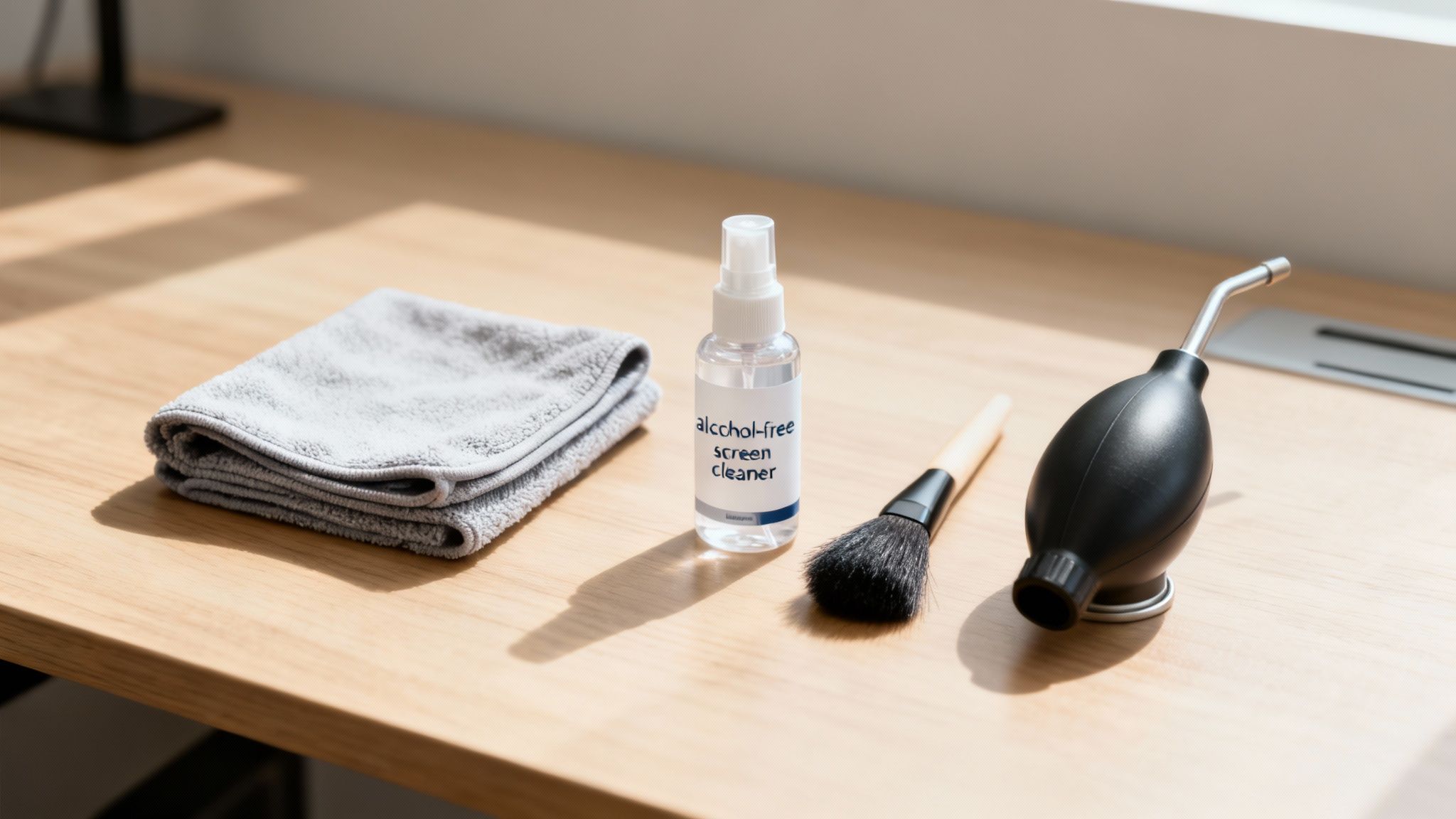
Before you even think about touching your screen, let's talk tools. Getting this part right is the most important step in learning how to clean a monitor screen safely. Using the wrong stuff can instantly damage your display, but building the right kit guarantees a perfect, streak-free finish every single time. This isn’t about fancy gadgets; it’s about using what the pros use.
The absolute cornerstone of any cleaning kit is a high-quality microfiber cloth. Its tiny, synthetic fibers are engineered to attract and trap dust, not just push it around. There's a reason 92% of experts recommend microfiber over something like a paper towel—those are notorious for scratching delicate screen coatings and have even voided warranties in 25% of incidents. It's a non-negotiable item.
The Essential Cleaning Duo
Honestly, you only need two things to get the job done right.
- Microfiber Cloths: I always keep at least two on hand. Use one for the initial dry wipe to get rid of loose dust, and a second one for applying cleaner and buffing away any streaks. Just make sure they're completely clean before you start.
- Alcohol-Free Screen Cleaner: This is your best friend for tackling oily fingerprints and stubborn smudges. A good cleaner, like the one in the EVEO Screen Cleaner Kit, is specifically made to be gentle on modern anti-glare coatings.
Pro tip: Always spray the cleaner onto your cloth, never directly onto the monitor. This simple habit prevents liquid from seeping into the bezel and causing serious electrical damage.
Useful Extras for a Deeper Clean
For the dust that loves to hide in corners and vents, a couple of extra tools can make a huge difference. I like to have a soft-bristled brush to gently dislodge debris from the monitor's frame without scratching anything.
A can of compressed air is also great for clearing out ports and vents without any direct contact. If you need more tips on what to look for, our ultimate screen cleaner buying guide has you covered.
Getting That Perfectly Clean Display
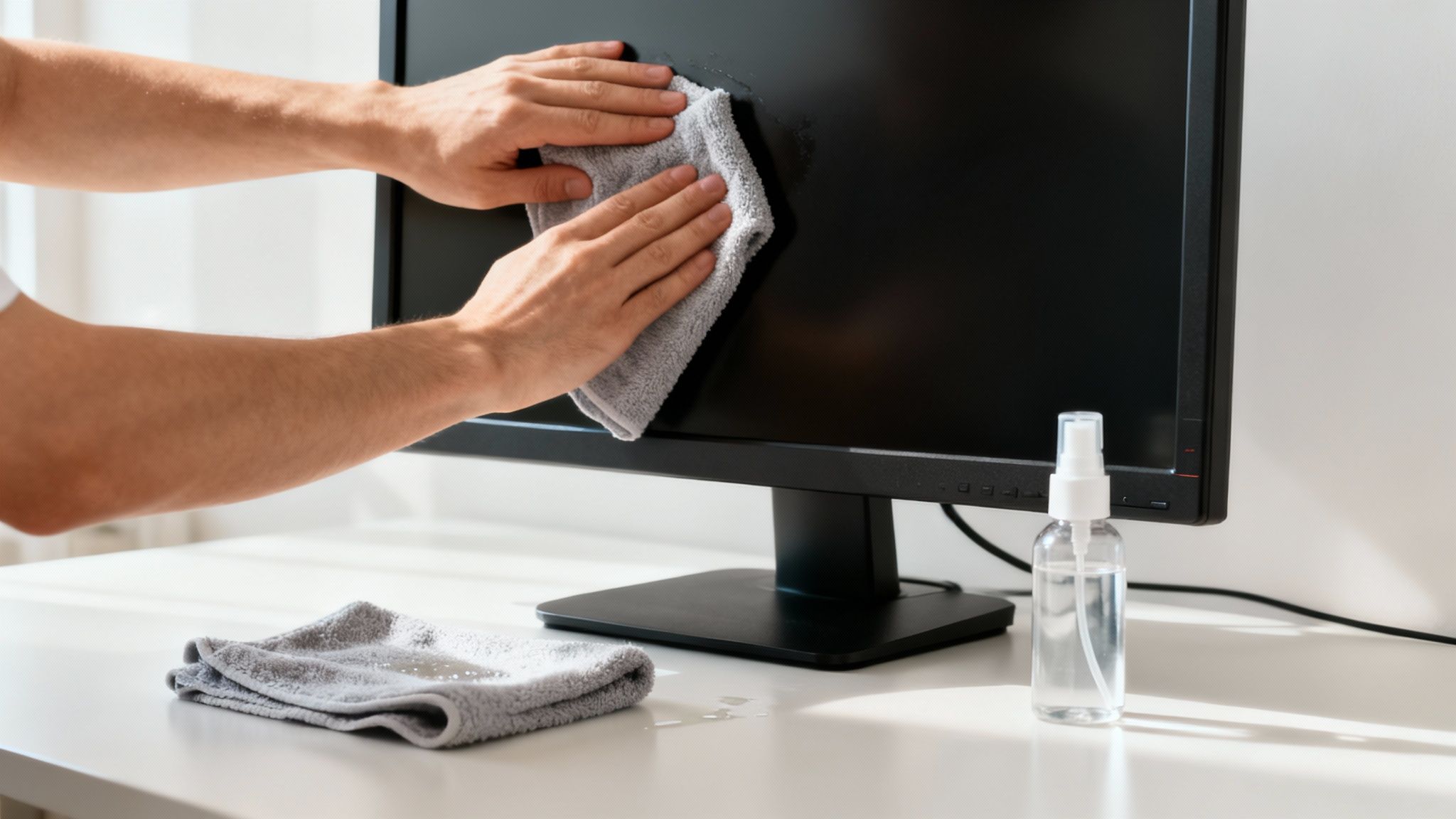
Alright, you’ve got your tools, now it’s time to get that screen looking like new. There’s a specific technique I use that guarantees a flawless, streak-free shine every time, whether it's my main work monitor or my high-refresh-rate gaming screen. It’s all about the process.
The absolute first thing you need to do is power down and unplug your monitor. Cleaning a screen while it’s on is a recipe for streaks because the warmth makes liquids evaporate too fast. Plus, a black, powered-off screen is the perfect canvas for spotting every single speck of dust and fingerprint. It just makes the whole job easier.
Start With a Dry Wipe
Before a single drop of cleaner touches that screen, grab your clean, dry microfiber cloth. This first pass is crucial for getting rid of all the loose stuff—dust, stray hairs, and any other surface debris. If you skip this, you’ll just end up mixing the dust with your cleaner, creating a muddy paste that’s even harder to remove.
Wipe the screen gently from top to bottom. Think long, smooth strokes that overlap slightly. Don't scrub or use little circular motions here; you're just trying to lift the dust off, not grind it in. Let the cloth do the work with very light pressure.
Quick tip from experience: Always give your microfiber cloth a quick check for any tags or trapped bits of grit before you begin. A stiff tag or a tiny particle can easily leave a permanent scratch on a delicate screen coating.
Time for the Cleaner (for the stubborn stuff)
With the loose dust gone, it's time to tackle the smudges and fingerprints. This is where a good screen cleaner proves its worth. If you need a solid recommendation, there's a great range of effective, alcohol-free screen cleaners out there made specifically for today's displays.
Now, this is critical: never spray cleaner directly onto the monitor. Seriously. Liquid can easily creep into the monitor’s bezel, where it can short out the electronics and cause permanent damage.
Instead, lightly spritz a small amount of the cleaning solution onto a clean part of your microfiber cloth. You want it to be just slightly damp, not dripping wet.
Use that dampened area of the cloth to gently wipe away the remaining smudges, using the same top-to-bottom or side-to-side motions. If you hit a really stubborn spot, just hold the damp cloth on it for a few seconds to loosen the grime before wiping it away.
The Final Buff for a Flawless Finish
To finish the job, flip the microfiber cloth over to a completely dry, unused section. This is the secret to a perfect, invisible look. Use this dry side to give the screen a final buff, removing any last traces of moisture and polishing it to a streak-free shine.
Let the screen air dry for a minute or two before you plug it back in and turn it on. You’ll be amazed at the clarity.
Adjusting Your Technique for Different Screen Types
While the basic rules for cleaning a monitor are pretty universal, not all screens are built the same. Understanding the small differences in your monitor’s technology is key to avoiding accidental damage. Your trusty office LCD, for instance, can usually take a bit more handling than a high-end OLED panel.
OLED screens are famous for their stunningly deep blacks and vibrant colors, but that beauty comes from delicate organic compounds. When you’re cleaning an OLED or QD-OLED display, you have to use the absolute minimum amount of pressure. Think of it more like guiding the cloth across the surface, not wiping it. These panels are just too sensitive to pressure, and aggressive rubbing could stress the pixels.
Handling Matte and Anti-Glare Screens
Matte and anti-glare screens are brilliant at cutting down reflections, but their slightly textured surface can be a magnet for dust and oil. It often holds onto grime more stubbornly than a glossy screen.
For these displays, a gentle dabbing motion with a damp microfiber cloth usually works much better than long, sweeping wipes to lift off any tricky spots. And whatever you do, never use alcohol-based cleaners on these coatings—they can permanently ruin the finish. This gentle approach is a great habit for any screen, and we cover it in more detail in our guide on how to clean your laptop screen.
The golden rule is to always start with the least aggressive method possible. A quick dry wipe should always be your first move. Only reach for a lightly dampened cloth if you absolutely need to.
Using the wrong technique can be an expensive mistake. Research shows that around 30% of screen failures are caused by people using abrasive materials, leading to repairs that can cost anywhere from $200 to $500. For those greasy fingerprints, one or two small spritzes of an ammonia-free formula onto your cloth is all you need. Following this simple routine can actually boost your monitor's lifespan by up to 50%.
Common Screen Cleaning Mistakes to Avoid
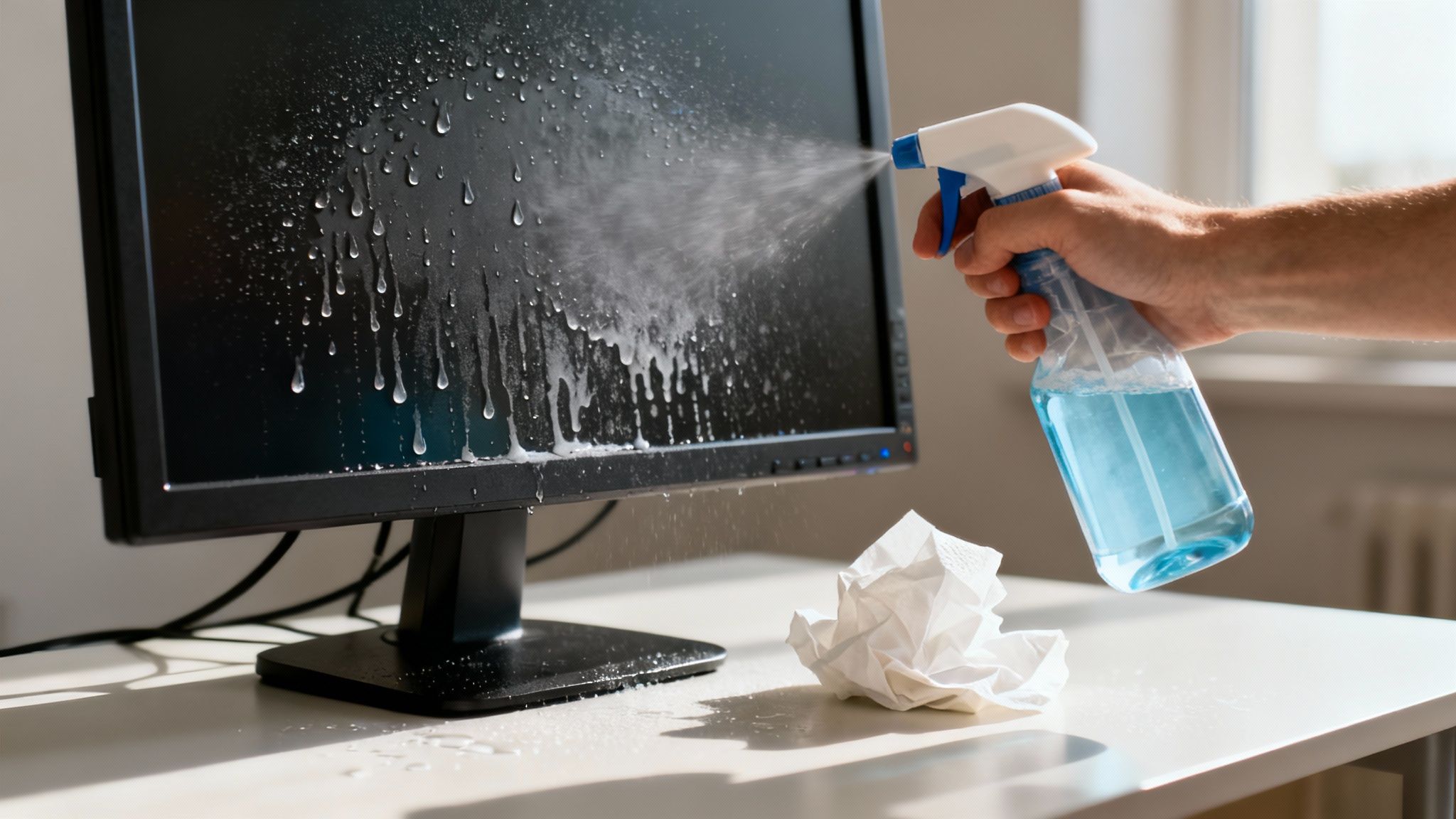
Knowing the right way to clean your screen is only half the battle. Just as important is knowing what not to do—because a few common, well-intentioned habits can cause irreversible damage. A quick wipe-down can turn into an expensive mistake if you're not careful.
It’s tempting to grab the nearest thing—a paper towel, a tissue, even the corner of your t-shirt. But don’t do it. These materials feel soft, but their fibers are abrasive enough to create thousands of tiny micro-scratches on your screen. Over time, that damage builds up, leaving your once-vibrant display with a permanent, hazy finish.
Another classic mistake is reaching for the wrong liquid. Household glass cleaners like Windex seem like an obvious choice, but they often contain harsh chemicals like ammonia and alcohol. These ingredients are absolute killers for the sensitive anti-glare and oleophobic coatings on modern monitors. Use them, and you’ll strip those protective layers right off, leading to ugly discoloration and permanent cloudy spots.
The Dangers of Pressure and Direct Spraying
It’s easy to think a stubborn smudge needs some extra elbow grease, but pushing too hard is a surefire way to cause damage. Your screen’s pixels are incredibly delicate. Applying too much pressure can permanently kill them, leaving you with those infuriating black or colored dots that never go away.
Finally, you must never spray cleaner directly onto the monitor.
Liquid has a nasty habit of seeping down into the monitor’s bezel, where it can short out the internal electronics and cause total failure. Always, always apply your cleaning solution to the microfiber cloth first. It’s a simple habit that can save you a very costly repair.
By steering clear of these critical mistakes, you’re not just cleaning your monitor—you’re preserving its performance and extending its lifespan for years to come.
Frequently Asked Monitor Cleaning Questions
Even when you've got the basics down, a few questions always seem to pop up. Let's tackle the most common ones people ask about cleaning their monitors, so you can feel confident you're doing it right.
How Often Should I Actually Clean My Screen?
Honestly, it all comes down to your environment. For most of us, a quick, dry wipe-down with a microfiber cloth once a week is perfect for keeping dust from building up.
For a deeper clean with a spray solution, a good rule of thumb is once a month. You can also just do it whenever you spot those distracting fingerprints and smudges that a dry cloth won't budge. If your desk is in a busy part of the house or a dust-prone room, you might find yourself doing it a little more often.
What's the Best Way to Remove Those Stubborn Spots?
We've all been there—a mysterious dried-on spot or an oily fingerprint that just won't wipe away. The first rule is to resist the urge to scrub. Putting too much pressure on the screen is a fast track to damaging pixels or the anti-glare coating.
Instead, try this gentle approach:
- Lightly spray a bit of screen cleaner onto a small section of your microfiber cloth, not directly on the screen.
- Gently press the damp part of the cloth on the stubborn spot for a few seconds. This lets the solution do the heavy lifting by softening the grime.
- After a few moments, switch to a gentle, circular wiping motion.
- Finally, use a dry section of the cloth to buff the area and make sure no streaks are left behind.
Whatever you do, never use your fingernail or a sharp object to scrape a spot off. That's one of the easiest ways to leave a permanent scratch or pressure mark on your screen's delicate surface.
Can I Just Use Water to Clean My Screen?
It might seem like the safest option, but plain water usually isn't the best choice. Tap water is a hard no—it’s full of minerals that will leave behind a chalky, streaky residue as it dries.
Distilled water is certainly better, but it doesn't have what it takes to break down the oils from fingerprints. A dedicated screen cleaner is formulated with gentle ingredients that dissolve grime effectively and evaporate cleanly. This gives you that perfect, streak-free finish without risking damage to your monitor's coatings.
For a reliable, streak-free shine every time, trust EVEO. Our Screen Cleaner Kit is specifically designed to be tough on smudges but gentle on your tech. Discover the perfect cleaning solution at eveo.store.
How to Clean Computer Screen Safely: Simple Steps for a Streak-Free Shine
The Best Way to Hide Cables for a Clean and Safe Space