

Dealing with computer cables is one of those things we all put off. But it's more than just an annoying cleanup task—it's a real upgrade for your entire workspace. A tangled mess of wires creates constant visual noise, subtly pulling at your attention and disrupting your focus. Taming that chaos creates a calmer, more professional environment that genuinely helps with concentration and productivity.
In today's setups, it’s practically a necessity. With dual monitors, gaming gear, webcams, and charging docks all competing for space, the average desk can quickly look like a disaster zone. Good cable management is what turns that potential mess back into a streamlined, inspiring space.
More Than Just a Pretty Desk
Beyond the clean look, organizing your cables is a critical safety measure. Loose cords snaking across the floor are a major trip hazard, whether it's in your home office or a corporate building. It's not just a minor inconvenience, either—research directly links exposed cords to workplace accidents.
In many office environments, slips, trips, and falls are responsible for 27–35% of all recordable incidents. Loose cables are one of the most common—and preventable—causes.
This growing focus on safety and efficiency is why the cable management industry has exploded. The global market for these solutions is on track to hit around USD 35.2 billion by 2030. That number shows a huge shift from treating cable management as an afterthought to recognizing it as an essential part of any modern setup. You can find more insights on this growing market over at mordorintelligence.com.
Ultimately, taking a few minutes to manage your cables pays off in several key ways:
- A Safer Space: It drastically cuts down the risk of trips and falls for you, your family, or your coworkers.
- Better Focus: A clean desk minimizes distractions, which helps you stay on task and get more done.
- Simpler Maintenance: When cables are organized, cleaning your workspace and troubleshooting tech issues becomes way easier.
- Longer-Lasting Gear: Properly routed cables are less likely to get snagged, bent, or damaged, which helps extend the life of your equipment.
Alright, let’s tackle that cable situation. Jumping into a cable management project without a plan is like trying to build furniture without the instructions—it almost always ends in a mess and a headache. A little prep work turns what feels like a chaotic task into a surprisingly satisfying process. Before you buy a single sleeve or clip, the first step is always to figure out what you’re actually dealing with.
First things first: unplug everything. Safely disconnect all your gear from the wall and your computer. This gives you a clean slate and a much clearer view of the spaghetti monster you’re up against. Lay out all the cables and start sorting them into logical groups: power cords in one pile, display cables (like HDMI or DisplayPort) in another, and USB/audio wires in a third. This quick inventory tells you exactly how much of each type you need to wrangle.
With everything disconnected, you can start mapping out the smartest path for each cable. The goal here is to keep the runs as short and direct as possible, from device to outlet. This minimizes the amount of extra cable you'll need to hide later on. A pro tip? Figure out where your power strip is going to live. Mounting it under the desk is usually the best move you can make.
Gathering Your Toolkit
Once you have a mental map of where things should go, you can decide which tools you’ll need for the job. Not every project requires a full arsenal of gear; your specific setup will dictate your shopping list.
A good cable management setup is all about having the right tools for the right job. From simple bundling to completely hiding every last wire, here’s a look at the essentials.
| Tool/Material | Best For | EVEO Product Match |
|---|---|---|
| Velcro or Reusable Cable Ties | Bundling groups of cables together without damage. Infinitely adjustable. | EVEO Cable Management Straps |
| Adhesive Cable Clips | Guiding individual wires neatly along the back or underside of a desk. | EVEO Adhesive Cable Clips |
| Cable Sleeves | Wrapping a bundle of cables into one clean, single cord. Great for monitor-to-PC runs. | EVEO Cable Management Sleeve |
| Under-Desk Cable Trays | Hiding power strips, bulky adapters, and excess cable length completely out of view. | EVEO Under Desk Cable Management Tray |
| Cable Raceways | Creating a clean, enclosed channel for cables running along a wall or baseboard. | Not applicable |
With these tools, you can mix and match to create a truly seamless and professional-looking setup.
The most effective setups almost always combine a few of these tools. For example, you might use an under-desk tray to hold the power strip and all its bulky plugs, then use adhesive clips to guide the individual monitor and USB cables neatly into it. This layered approach is the secret to making wires truly disappear.
Before you click "buy," grab a tape measure. A few quick measurements will save you a lot of grief. Note the length and width of your desk, the distance to the nearest wall outlet, and the rough length of your main cables. Knowing these numbers ensures you get a tray that fits or enough raceway to finish the job without a second trip to the hardware store.
For a much deeper dive into the nitty-gritty of hiding those under-desk wires, be sure to check out our ultimate guide to under desk cable management.
Mastering Under-Desk Cable Management
Let’s be honest: the space under your desk is probably the epicenter of cable chaos. It's the place where power bricks, surge protectors, and a dozen different cords converge into a tangled mess. Taming this area is the single biggest step you can take toward a truly clean, professional-looking setup.
The secret weapon? Getting absolutely everything off the floor. When you elevate your entire power infrastructure, you create a "floating" system that makes wires seem to vanish. Not only does it look incredible, but it also makes cleaning your floor a thousand times easier. No more dust bunnies clinging to a web of cables.
Your first move is to mount a power strip or surge protector directly to the underside of your desk. This simple action creates a hidden, centralized power hub for all your gear. You can use heavy-duty adhesive strips or a couple of small screws to get it secured, instantly eliminating the main source of clutter that was living on your floor.
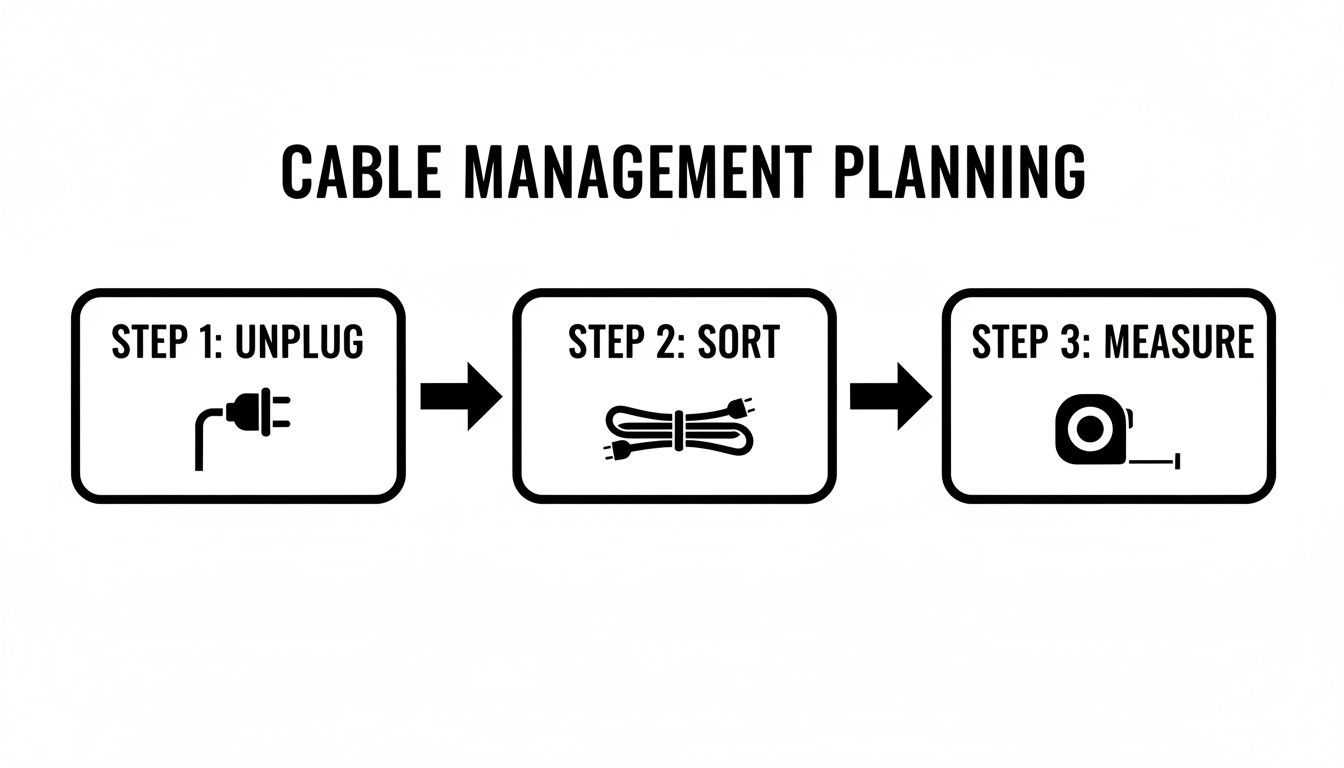
This initial planning phase is crucial. Before you start routing a single wire, take a moment to unplug, sort, and measure. It gives you a clear map of what you're working with and prevents headaches later on.
Creating Your Hidden Command Center
With your power strip mounted, the next challenge is dealing with those bulky power bricks and all the extra cable slack. This is where an under-desk cable tray or basket becomes your best friend. These are simple metal or plastic containers that screw right into the bottom of your desk, giving you a spacious trough to tuck everything into.
Just place your power adapters inside the tray, neatly coil any excess cable length, and secure it with a velcro tie. This trick keeps those heavy bricks from pulling on their connections and hides the entire jumble completely out of sight.
The best part of this whole process is plugging everything into your newly mounted power strip. You get to watch all those individual cords disappear neatly into the tray, leaving just one single cable—the one from the surge protector—to run down to the wall outlet. It’s incredibly satisfying.
This whole under-desk hub approach is actually inspired by professional setups. The way we hide computer cables at home is starting to mirror the trends you see in modern office design and data centers. They often use raised flooring or advanced channel systems to make power and data routing invisible—a market that's growing at nearly a 9% CAGR. You can apply that same pro mindset with simple trays and channels. For a deeper dive into these commercial strategies, check out this market analysis from Strategic Market Research.
Guiding Wires With Precision
Okay, your power hub is set. Now you just need a clean way to guide the cables from your monitors and keyboard down to it. This is the perfect job for J-channel cable raceways. These are adhesive-backed channels that stick right to the back or underside of your desk, creating a hidden highway for your wires.
You can easily run multiple cords through a single channel, keeping them perfectly straight and out of sight. They're especially great for routing:
- Monitor Cables: Guide your HDMI, DisplayPort, and power cords from the back of the screen down into your cable tray.
- Peripheral Wires: Neatly route the USB cables from your keyboard, mouse, and webcam.
- Accessory Power: Tuck away the chargers for speakers, hubs, and any other gear on your desk.
For a flawless finish, always map out your route before you peel off the adhesive backing. A few well-placed J-channels can make it look like your monitor and keyboard are completely wireless. Combining an under-desk tray with a few raceways is the ultimate one-two punch for mastering your under-desk cable management.
Creating a Clean Look on Your Desk and Walls
Once you’ve conquered the chaos under your desk, it’s time for the final frontier: the last few cables running across your desk and up your walls. This is where the real magic happens. Getting these last details right is what separates a merely tidy setup from a truly professional and polished workspace. The goal is to make any remaining wires blend in so perfectly they practically disappear.
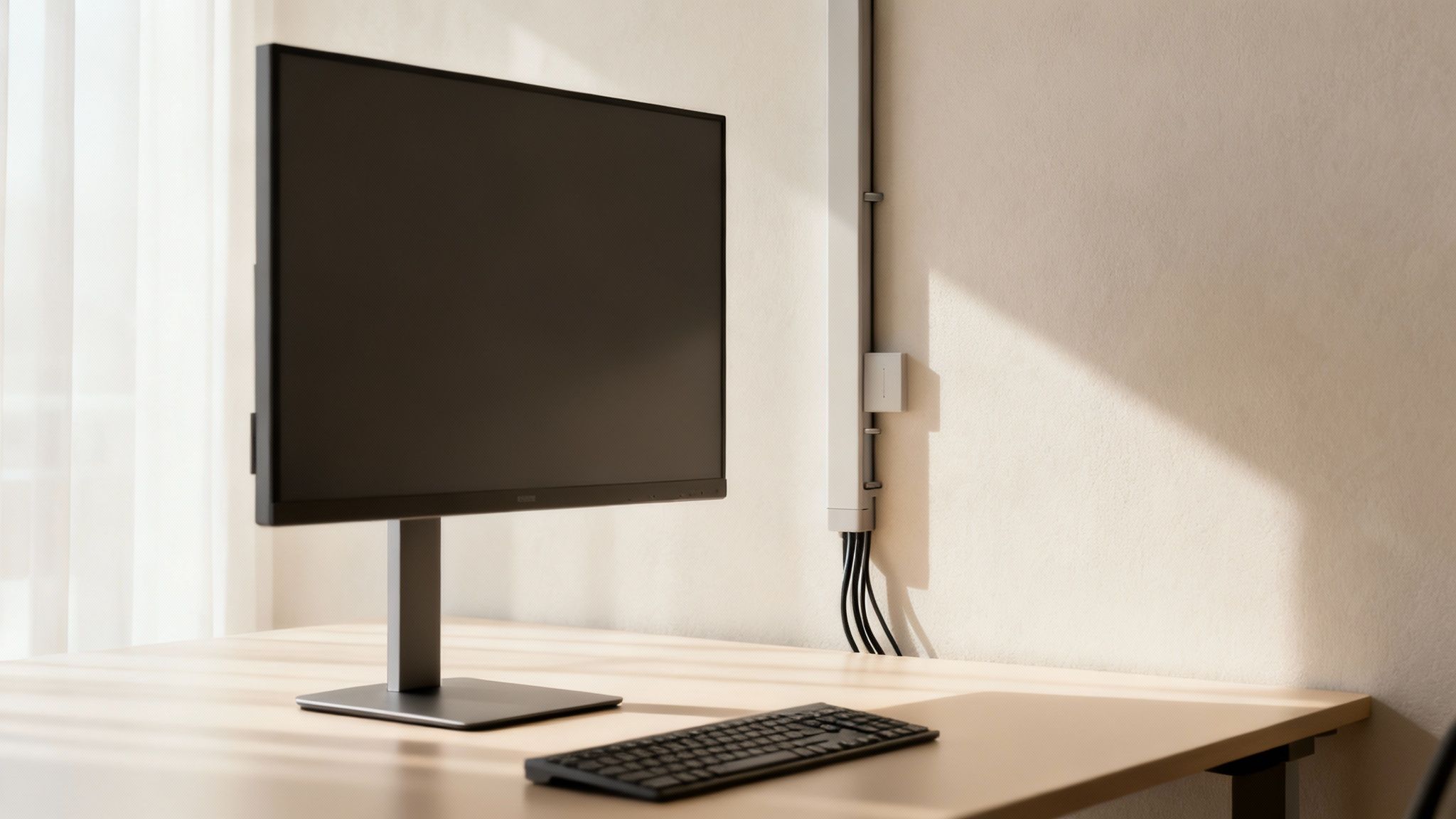
For those cables connecting your PC to your monitors, a fabric cable sleeve is an amazing first step. You can bundle everything—power, HDMI, USB—into a single, sleek-looking tube. This works especially well for standing desks where flexibility is a must. A good sleeve moves right along with your desk, preventing snags and keeping the line from your desk to your monitor looking clean at any height.
Taming Wall-Mounted Monitor Cables
Got your monitor mounted on the wall? Or maybe you need to run a cable across the room? A cable raceway is your best friend. These are simple plastic channels that stick right onto the wall, creating a clean, enclosed pathway for your wires. The result is an incredibly tidy, almost built-in look that makes you forget the wires are even there.
Getting them installed is surprisingly simple:
- Measure and Plan: First, figure out the exact path from your gear to the outlet.
- Cut to Size: Use a small handsaw to cut the raceway pieces to the lengths you need.
- Adhere to the Wall: Just peel off the backing and press the channel firmly onto the wall.
- Insert Cables and Cover: Pop your cables inside the channel and snap the cover shut.
For that truly flawless finish, grab a connector kit. These kits come with little elbows and couplers that help you navigate corners and link sections together seamlessly. It ends up looking like a single, continuous piece that’s part of the wall itself. For a more detailed guide, check out our complete walkthrough on installing and using raceway cable management.
The Finishing Touches for a Flawless Desk
Even after hiding the big cables, it's the small details that make the biggest impact. Hiding computer cables has gone from a simple chore to a real investment in creating a safer, more productive space. And the market reflects that.
The demand for cable management accessories like raceways, clips, and ties is expected to surge from around USD 3.31 billion in 2025 to nearly USD 5.98 billion by 2034. For a typical dual-monitor setup, you might spend $50–$150 on dedicated cable-hiding gear.
It's an investment that pays off by creating a distraction-free zone where you can actually focus. Try using small adhesive clips along the back edge of your desk to guide the last few inches of your keyboard and mouse cables. If your desk has a grommet hole, run your monitor cables through it to keep the desktop surface totally clear. For the ultimate stealth look, you can even paint your raceways the same color as your wall—they’ll become virtually invisible. You can learn more about the trends driving this organizational push in the full report from PR Newswire.
Cable Management for Specialized Setups
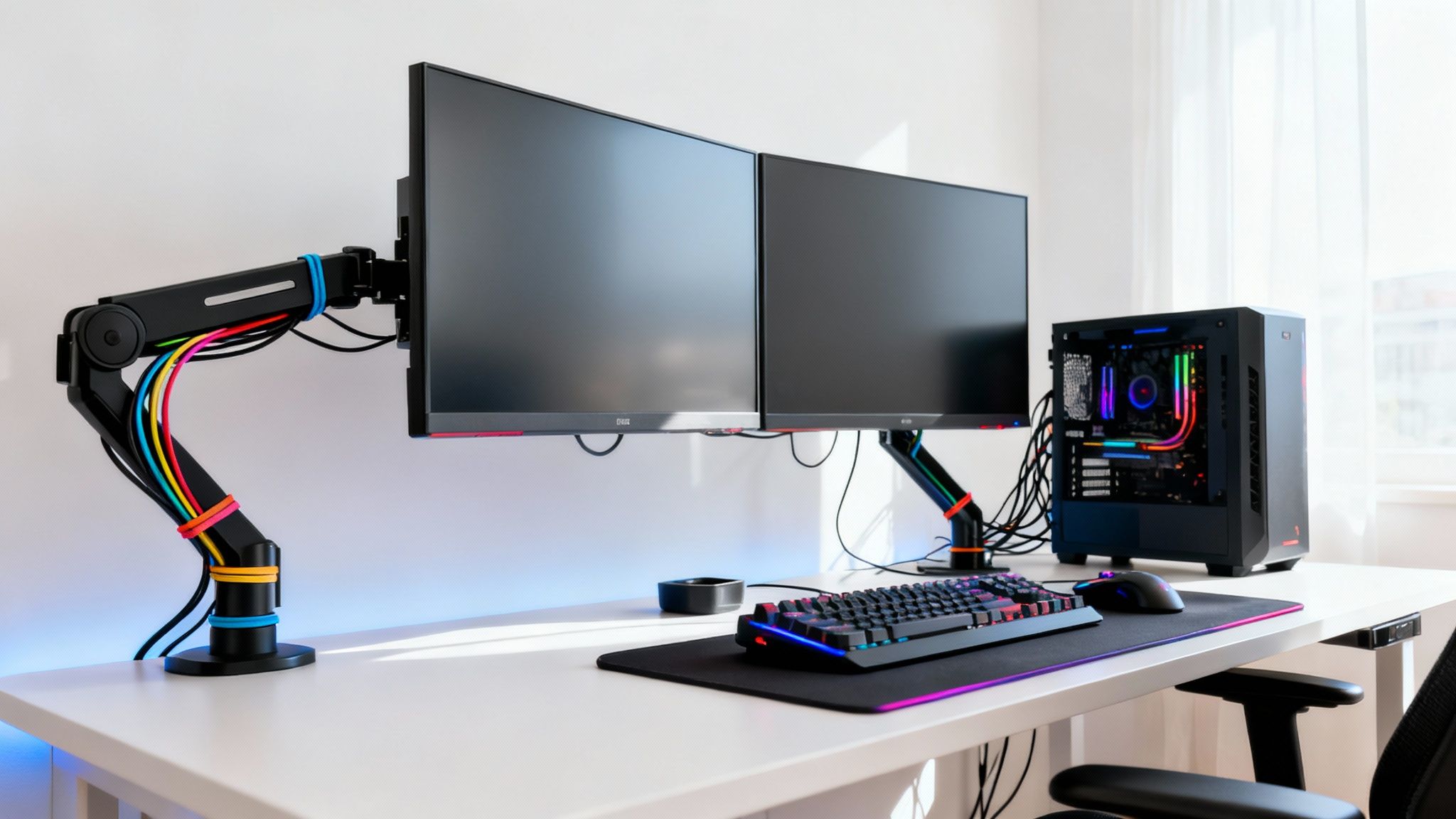
Not every desk is a simple laptop-and-lamp affair. When you get into specialized setups—think multi-monitor battle stations, high-end gaming rigs, or even just your car's charging area—the cable management game gets a little more complex. These unique challenges require a smarter, more tailored approach to get things looking clean.
Dual and ultrawide monitor setups are incredible for workflow, but they can easily double your cable chaos. The absolute best tool for taming this beast is a monitor arm with built-in cable management channels. These arms do more than just free up precious desk real estate; they create a hidden highway for your power and display cords, guiding them from the screen down to your under-desk hub without a single wire in sight.
Conquering the Gaming Rig Jungle
Let's be honest: gaming setups are notorious for cable clutter. Between the RGB keyboard, mouse, headset, speakers, and streaming gear all fighting for a spot, the back of a PC can quickly look like a rat's nest. A solid plan here is essential, not just for aesthetics but for your own sanity.
The real win with gaming cable management isn't just about looks—it's about making future upgrades and troubleshooting painless. When you can easily find and unplug your mouse without yanking three other cords with it, you’ve succeeded.
Start by labeling both ends of every cable. A simple label maker or some color-coded electrical tape works wonders when you're trying to figure out what goes where. Next, grab some Velcro ties and cable sleeves to bundle wires based on their job.
- Peripheral Group: Bundle your mouse, keyboard, and headset cables together in a single sleeve.
- Display Group: Keep your monitor power and video cables combined in another.
- Audio Group: It's a good idea to keep speaker and microphone wires separate to help minimize any potential interference.
This method transforms a tangled mess into organized, traceable bundles. If your rig is part of a larger entertainment center, our guide on using a TV cable cord cover has some great tips that work just as well for a clean gaming setup.
Cable Control On The Go
Cable management isn't just a problem at your desk. That charging cable snaking across your car's center console can be just as annoying and distracting. A few small, clear adhesive clips are perfect for creating a clean, dedicated route for your phone charger or dash cam wire.
Just stick them along the edge of your console or dashboard to guide the wire from the power source to your device mount. This keeps the cable secure, completely out of the way, and stops it from getting tangled in the gear shift or snagged by passengers.
Finally, no matter the setup, always use a high-quality surge protector. Avoid the temptation of daisy-chaining—plugging one power strip into another—as it can easily overload the circuit and create a serious fire hazard. Plugging all your valuable equipment into a single, reliable surge protector mounted under your desk is the safest and cleanest foundation for any specialized setup.
A Few Common Questions About Hiding Cables
Even after you've wrangled that last wire into place, a few questions can still pop up. It’s totally normal. Getting the answers right will help you fine-tune your setup and feel confident you’ve done a top-notch job. Let's walk through some of the most common hurdles people run into when hiding their computer cables.
One of the biggest concerns I hear is about avoiding permanent damage. Not everyone wants to break out a drill and put holes in their walls or furniture, especially if they're renting or just like to switch things up.
What’s the Best Way to Hide Cables Without Drilling?
If you want a completely drill-free setup, self-adhesive products are your new best friend. They offer a surprisingly strong hold without leaving permanent marks, which is perfect for renters or anyone who isn’t ready to commit to one layout.
I usually recommend starting with an adhesive under-desk cable tray. It’s the perfect spot to stash bulky power bricks and coil up any extra cable length, getting the biggest mess out of sight immediately.
From there, you can use adhesive-backed cable clips to guide individual cords neatly along the back edge of your desk. For any wires that have to run up a wall to a monitor, an adhesive cable raceway is a game-changer. It sticks right on, and you can even paint it to match your wall, making it almost invisible.
How Can I Manage Cables for a Standing Desk?
This is a great question because standing desks add a unique challenge: movement. A static cable solution just won't cut it here. You need something flexible that won’t snag, pull, or unplug everything when you raise or lower your desk.
The go-to solution for a sit-stand desk is a vertical cable spine or a flexible fabric sleeve. These products gather all your wires into a single, snake-like column that gracefully extends and contracts right along with your desk.
One pro tip: always mount your power strip to the underside of the desk itself, not the wall or floor. This way, only one main power cord has to travel down to the wall outlet, which simplifies the entire setup dramatically.
Are Fabric Sleeves Better Than Plastic Raceways?
Honestly, it’s not about one being "better" than the other—it's about using the right tool for the right job. Think of them as different specialists in your cable management toolkit.
Fabric cable sleeves are fantastic for bundling groups of wires that need to stay flexible. A perfect example is the set of cables running from a PC on the floor to a monitor on an adjustable arm.
Plastic raceways, on the other hand, are built for those fixed runs along a wall or the back of a desk. They provide a more structured, rigid look and offer better protection for the cables inside. The cleanest setups I’ve seen often use both: a raceway for the static part of the run and a sleeve for that final, flexible connection to the device.
Ready to build your own perfectly organized workspace? The EVEO Under Desk Cable Management Tray is the ideal foundation, giving you a clean, hidden hub for all your power strips and adapters. Shop the EVEO collection today and take the first step toward a clutter-free desk.
The Ultimate Guide to Under Desk Cable Management
Adjustable Monitor Arms: Elevate Your Desk Setup for Comfort