

Knowing how to clean monitor screen is simple, but the details matter. First, always power down your display. Start by wiping gently with a dry microfiber cloth to get rid of loose dust, then tackle any smudges with a separate, lightly dampened cloth using a screen-safe solution.
Most importantly? Never spray any liquid directly onto the screen or reach for harsh chemicals like alcohol.
Why a Clean Screen Is Your Secret Productivity Weapon

That subtle layer of dust, fingerprints, and smudges on your monitor does more than just look unprofessional. It’s actively working against your focus and well-being. It forces your eyes to work harder just to see through the grime, and over a long workday, this added visual noise is a direct cause of eye strain and headaches. It’s a real productivity killer.
We’ve all been tempted to use a shirt sleeve or a paper towel for a quick fix, but those common habits can cause thousands of microscopic scratches or even strip away the delicate anti-glare coatings on your screen. Learning the right way to clean your monitor is a simple, high-impact habit that protects your expensive hardware.
More Than Just Aesthetics
A pristine monitor is a cornerstone of any effective workspace. It’s not just about appearances; it’s about creating an environment where you can perform at your best. For professionals juggling complex dual-monitor setups or immersive ultrawide displays, screen clarity isn’t a luxury—it’s a necessity.
The demand for proper screen care has exploded right alongside our reliance on digital devices. In fact, the global screen cleaner market hit USD 34 million in 2023, and it’s still growing. With studies showing that dirty screens can reduce visibility by as much as 20%, investing in the right tools is a no-brainer for maintaining focus and device longevity.
For professionals who depend on visual clarity, a clean screen is as important as an ergonomic chair. It’s a small detail that removes a constant, low-level distraction, allowing for deeper concentration and less physical strain.
Building Better Workspace Habits
Keeping your screen clean is a fundamental part of an ergonomic and productive setup. You organize your desk and adjust your chair for comfort, right? Well, a spotless monitor ensures your visual workspace is just as optimized for performance.
It’s a quick task that pays dividends in comfort and focus all day long. If you want to take your entire setup to the next level, check out our guide on how to build a desk setup that works for you.
Gathering Your Monitor Cleaning Toolkit
Before you even think about wiping down your screen, let's talk about tools. Grabbing the wrong stuff is the single fastest way to turn a simple cleaning job into a costly, permanent mistake. Building the right kit from the start is non-negotiable for a safe, streak-free finish.
Your number one tool isn't a spray—it's a high-quality microfiber cloth. An old t-shirt or paper towel might seem fine, but their fibers are surprisingly abrasive and will leave behind a web of micro-scratches over time. A good microfiber cloth is designed to gently lift and trap dust without harming the screen's delicate surface.
Choosing a Safe Cleaning Solution
Next up is the cleaning solution, and this is where most people get it wrong. Reaching for whatever is under the sink is a huge risk. Industry reports often warn that a staggering 80% of common household sprays contain harsh chemicals like alcohol or ammonia, which are notorious for destroying the anti-glare and oleophobic coatings on modern monitors. You can see more on this in market research from outlets like Dataintelo.com.
Always, always go for a spray that is specifically formulated to be alcohol-free and ammonia-free. A product like EVEO's 6.7 oz screen cleaner is made to dissolve oily fingerprints and smudges without stripping away those crucial screen coatings. For a deeper dive into picking the right product, our ultimate screen cleaner buying guide breaks down exactly what to look for.
Here’s a simple rule to live by: If you wouldn't use it on your expensive eyeglasses, don't you dare use it on your monitor. Both have specialized coatings that harsh chemicals can easily ruin forever.
Think of your monitor’s anti-glare coating as a microscopically thin, fragile layer. Windex and other all-purpose cleaners act like chemical sandpaper, eroding that layer with every single wipe. The result is a cloudy, hazy mess that you can't undo.
Safe vs Unsafe Monitor Cleaning Agents
To make this crystal clear, I've put together a quick comparison of what you should be using versus the common household items you should keep far, far away from your monitor.
| Tool/Solution | Why It's Safe/Unsafe | Best For |
|---|---|---|
| Microfiber Cloth | Safe: Ultra-soft, non-abrasive fibers lift dust and grime without scratching or leaving lint. | All screen types. Absolutely essential for any screen cleaning. |
| Alcohol/Ammonia-Free Cleaner | Safe: Specially designed to break down oils without harming sensitive screen coatings. | LCD, LED, and OLED screens, especially those with anti-glare finishes. |
| Distilled Water | Safe: It’s mineral-free, so it won’t leave behind spotty residue or streaks. | A decent option for light cleaning if you don't have a dedicated spray. |
| Paper Towels/Tissues | Unsafe: The wood pulp fibers are abrasive and will cause thousands of tiny, irreversible scratches. | Keep them away from your tech. Seriously. |
| Household Cleaners (Windex) | Unsafe: Contain ammonia, alcohol, and other harsh solvents that strip protective coatings. | Only for hard surfaces like glass windows, never electronics. |
| Tap Water | Unsafe: Full of minerals that leave behind limescale deposits, creating stubborn, cloudy streaks. | Avoid using it directly on your screen. |
At the end of the day, using the right materials isn't just about getting a better clean—it's about protecting your investment for the long haul.
The Pro Method for a Flawless Screen Finish
Got your microfiber cloth and screen-safe solution? Good. Now it's time to learn the technique that the pros use for a perfect, streak-free finish every single time. This isn't just about randomly wiping your screen; it’s a deliberate process designed to protect your monitor while leaving it impeccably clean. Forget the guesswork—this is how you clean your monitor with confidence.
First things first, and this is non-negotiable: power down your monitor. I don't mean just putting it to sleep. Turn it completely off. A black, unlit screen is the perfect canvas for spotting every single speck of dust, smudge, and fingerprint. This simple move ensures you don't miss a thing and, more importantly, eliminates any risk of electrical shorts from moisture getting where it shouldn't.
The Two-Pass Technique Explained
This method is all about two distinct passes, each serving a specific purpose. The first pass is for getting rid of loose particles before you accidentally grind them into the screen.
First Pass: The Dry Wipe
Take your clean, dry microfiber cloth and gently wipe the entire screen. Use wide, sweeping motions, going either horizontally or vertically. The goal here isn't to tackle those stubborn smudges just yet—it's to lift away that top layer of dust without a fight.
Whatever you do, don't apply too much pressure. Pushing down hard can drag those tiny, abrasive dust particles across the screen's delicate coating, causing micro-scratches. Think of it more like dusting a fragile antique, not scrubbing a dirty pot.
Second Pass: The Damp Wipe
Now we can deal with those oily fingerprints and mystery smudges. Lightly spray your screen cleaning solution—like the EVEO 6.7 oz cleaner—onto a different, clean section of your microfiber cloth. Never, ever spray the solution directly onto the monitor itself. You want the cloth to be slightly damp, not soaking wet.
An oversaturated cloth is a recipe for disaster. Liquid can drip down the screen and seep into the monitor's bezel, potentially causing permanent damage to the internal electronics. A few light spritzes on the cloth is all you need.
Using the same gentle, sweeping motions, wipe the screen again. Start from one edge and work your way systematically across the display. This ensures you get even coverage and prevents the solution from drying in patches, which is the number one cause of streaks. If you hit a stubborn spot, resist the urge to press harder. Instead, just make a second, gentle pass over the area with a clean, damp part of the cloth.
This visual guide shows the simple, correct flow: prepare the cloth, then wipe the screen.
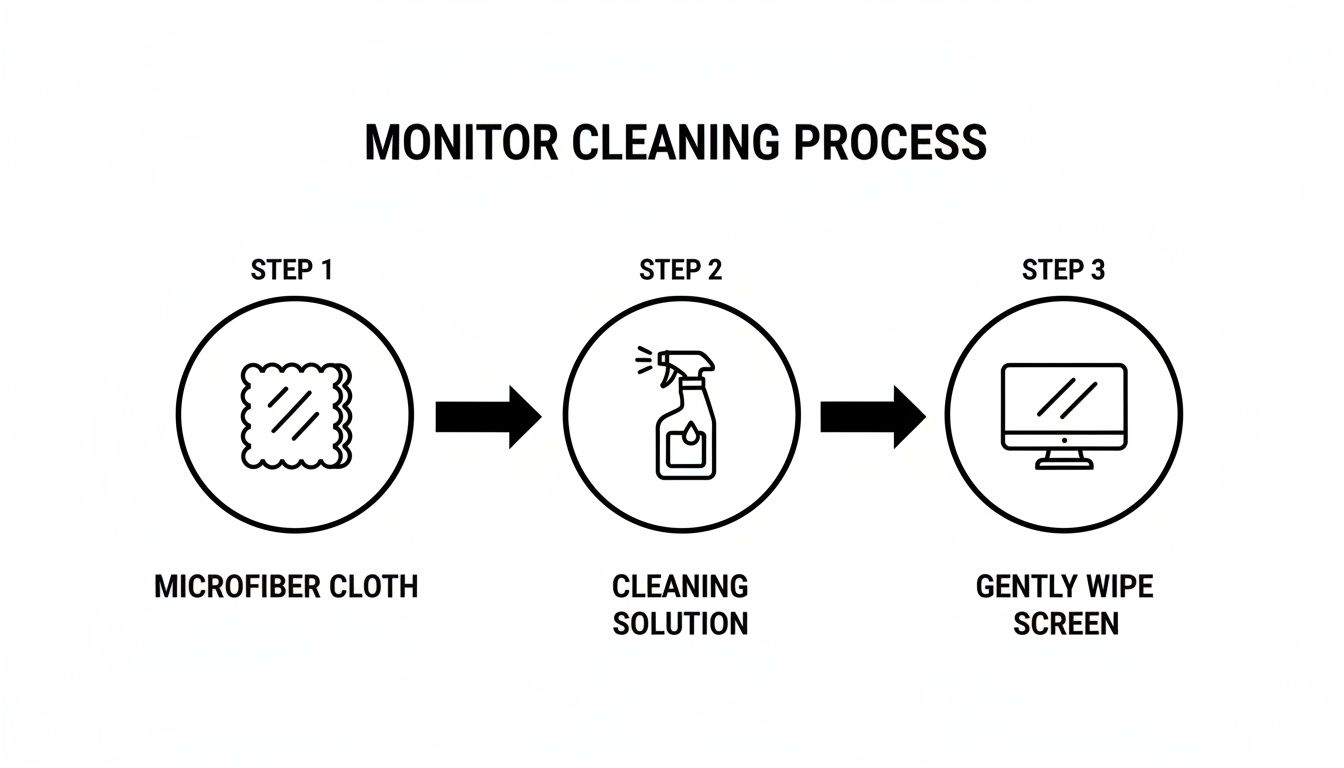
As the infographic highlights, the key is to always apply the solution to your cloth first, before it ever touches your screen.
Final Touches for Perfection
Once the screen is clean, you can use a dry corner of your microfiber cloth to lightly buff away any lingering moisture. Use light, circular motions to catch any faint traces of streaks that might pop up as the screen dries.
Finally, don't forget the frame. Give the monitor's bezel and stand a quick wipe-down with the same damp cloth. Dust and grime collect there, too, and cleaning the entire unit makes the result feel that much more complete. Let the screen air dry for a few minutes before you power it back on and enjoy your crystal-clear view.
Cleaning Different Screen Types: Matte, LCD, LED, and OLED
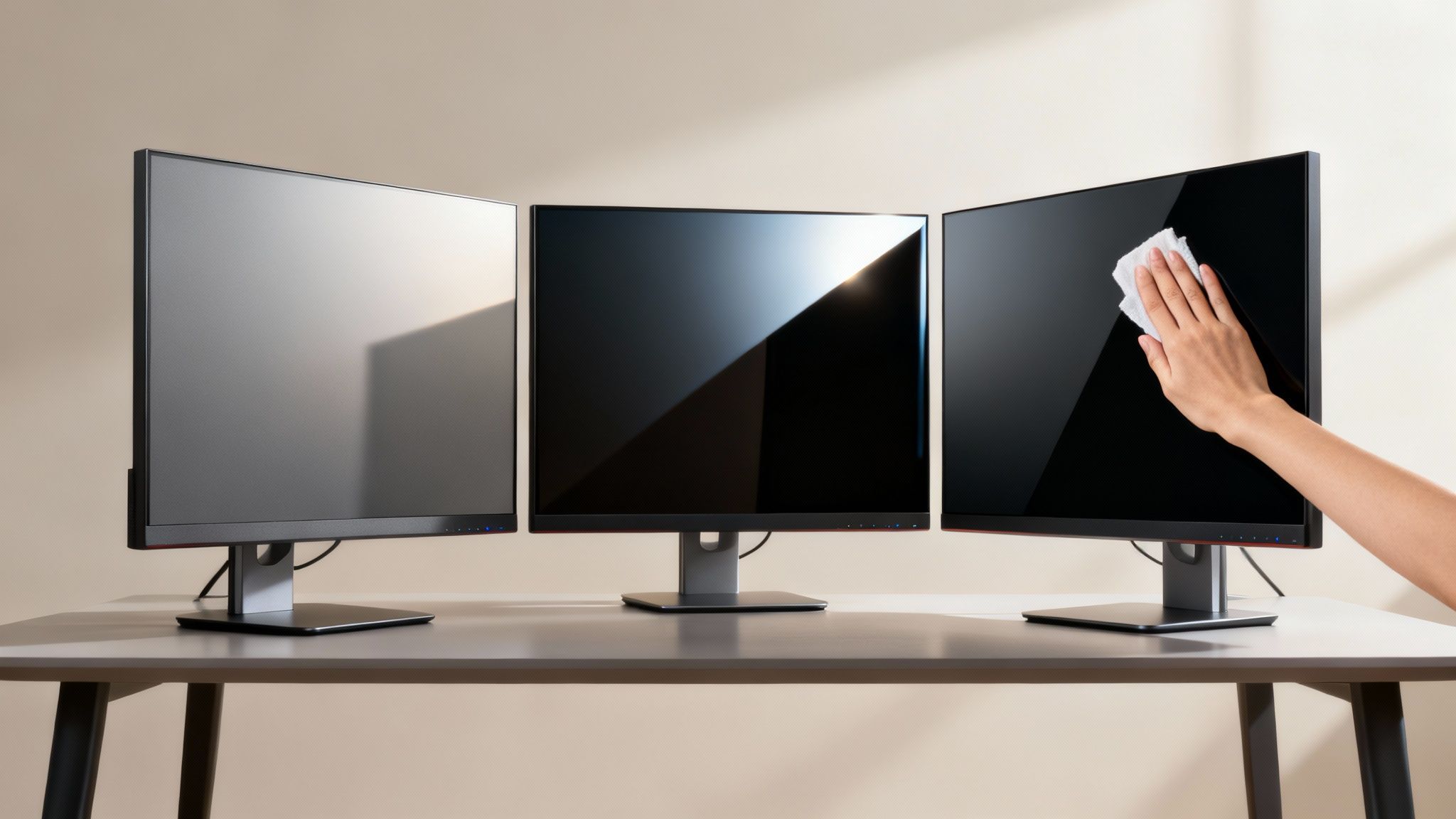
Not all monitors are created equal, and their cleaning needs can vary a lot. Treating them all the same is a surefire way to end up with streaks or, even worse, permanent damage. The real secret to a safe and effective clean is knowing exactly what kind of screen you're working with.
Most modern displays fall into a few key categories, each with its own little quirks. Whether you have a textured matte screen, a shiny LED panel, or a high-end OLED display, tailoring your technique will protect your investment and bring back that flawless, just-out-of-the-box clarity you're after.
Tackling Matte and Anti-Glare Screens
Matte screens are fantastic for cutting down reflections, but that micro-textured surface can be a real magnet for dust and oils. If you use too much liquid, the residue gets trapped in those tiny divots, leaving a hazy, uneven finish once it dries.
The trick here is to be sparing with your cleaning solution. A lightly dampened microfiber cloth is your best friend. After your first dry wipe, a single, gentle pass with the damp cloth is usually all it takes to lift smudges without oversaturating the surface.
This careful approach is vital. It's shocking how many people get this wrong. An eye-opening statistic reveals that 62% of users admit to using risky cleaning methods like paper towels, risking scratches that can cost over $200 to repair on average. With over 300 million monitors shipped in 2023, learning the right way to clean a monitor is more important than ever. You can dive deeper into the growing need for safe cleaning products in this screen cleaner market report from Future Market Insights.
Polishing Glossy LCD and LED Screens
Glossy LCD and LED monitors give you vibrant colors and deep blacks, but they also show off every single fingerprint and streak. For these screens, getting a perfect, streak-free polish is the main goal. The two-pass method we covered earlier works especially well here.
A thorough dry wipe gets rid of all the loose dust, which is a critical first step. After that, a systematic wipe with a cloth dampened with an alcohol-free cleaner like the EVEO 6.7 oz screen cleaner dissolves oils without damaging the screen's coating.
A common mistake with glossy screens is wiping in random, circular patterns. This almost guarantees you'll see streaks. Instead, stick to consistent, overlapping horizontal or vertical strokes, moving from one edge to the other for an even, professional finish.
The principles for cleaning these monitors are pretty similar to other devices you own. For a detailed guide on a related topic, check out our post on how to clean your laptop screen.
The Gentle Touch for Delicate OLED Screens
OLED screens are the gold standard of display tech, offering perfect blacks by lighting up each pixel individually. But this technology also makes them incredibly delicate. The organic compounds are sensitive, and applying too much pressure can permanently kill pixels.
When cleaning an OLED monitor, the golden rule is less is more.
- Use the lightest pressure possible. Seriously, just let the microfiber cloth do the work.
- Use the absolute minimum amount of cleaning solution. A barely damp cloth is all you need.
- Never scrub or press hard on stubborn spots. Instead, make several light passes over the area.
Think of it like cleaning a priceless painting. Your goal is to preserve the sensitive surface while gently lifting away impurities. A gentle, patient approach is the only way to ensure your OLED display stays in perfect condition for years to come.
Common Cleaning Mistakes to Avoid
Knowing the right way to clean your monitor is only half the story. Just as important is knowing what not to do, because one wrong move can turn a simple cleaning session into a disaster of streaks, cloudy spots, or even permanent damage.
Many well-intentioned cleaning attempts go sideways because of a few common—and totally avoidable—missteps.
One of the biggest culprits? Applying too much pressure. When you see a stubborn smudge, your first instinct is to just scrub it away. That's a huge mistake, especially on delicate OLED and anti-glare screens. Pressing too hard can actually damage the pixels underneath or grind tiny dust particles into the screen's coating, leaving a network of fine scratches.
The Problem with Common Household Supplies
Another classic mistake is grabbing whatever is handy. Paper towels, tissues, and the corner of your t-shirt might seem convenient, but they're far too abrasive for modern monitor screens. Their rough fibers can leave behind thousands of micro-scratches that build up over time, slowly dulling your screen's clarity. It’s a slow-burn kind of damage that you won't notice until it's too late.
Tap water is another tempting shortcut that will backfire. Unlike distilled water, tap water is loaded with minerals like calcium and magnesium. When it evaporates, those minerals get left behind as a fine, chalky film, creating the very streaks you were trying to get rid of in the first place.
When you hit a stubborn smudge, resist the urge to scrub. Instead, try a second, more patient pass. Lightly dampen a clean section of your microfiber cloth and gently wipe the spot again. The cleaning solution just needs a moment to work its magic and break down the grime—a gentle follow-up is almost always better than brute force.
Little Details That Make a Big Difference
Beyond the obvious, a few other habits can trip you up. Cleaning a monitor while it’s still on or warm is a common one. A warm screen causes cleaning fluid to evaporate almost instantly, leaving residue and streaks before you even have a chance to wipe it away. Always let your monitor cool down completely for the best results.
Finally, keep these critical points in mind to nail that perfect, streak-free clean every single time:
- Never Spray Directly On the Screen: This is a cardinal sin of screen cleaning. Spraying directly on the monitor lets liquid seep down into the bezel, where it can fry the internal electronics. Always, always apply the cleaner to your cloth first.
- Don't Over-Saturate Your Cloth: A dripping wet cloth is a recipe for disaster. You only need the cloth to be lightly dampened to effectively break down smudges and oils without leaving a mess behind.
- Remember the Edges and Corners: It's easy to focus on the middle of the screen and completely forget the edges where dust and grime love to hide. A quick, systematic wipe ensures the entire surface is spotless.
By sidestepping these common pitfalls, you’re not just wiping your screen—you’re properly caring for it. That's how you get a flawless finish and protect your investment for years to come.
Your Monitor Cleaning Questions, Answered
Even with the best gear, questions pop up. It's totally normal. Getting a few of the common "what ifs" cleared up will give you the confidence to clean your screen like a pro. Let's tackle the questions we hear most often so you're ready for anything.
How Often Should I Clean My Monitor Screen?
This is a great question, and the answer depends on your environment.
For most home or office setups, a quick dusting with a dry microfiber cloth once a week is perfect. Think of it as preventative maintenance—it stops that slow, dulling layer of dust from ever taking hold.
As for a deeper clean with a proper solution, aim for every two to four weeks. Of course, if you see fingerprints or smudges that are actively bugging you, clean it then. If your desk is in a dusty spot or you're constantly using a touchscreen, you might find a weekly wet-clean is what you need to keep things crystal clear.
Can I Use Disinfecting Wipes on My Monitor?
Please, don't do it. If you take away one thing, let it be this: standard disinfecting wipes are the enemy of your monitor.
They're soaked in harsh chemicals like alcohol and ammonia, which are notorious for destroying the delicate anti-glare and oleophobic coatings on modern screens. One wipe can be enough to strip that coating away, leaving behind a permanent cloudy, hazy patch. It’s damage you just can't undo.
Always, always stick to a spray specifically made for electronics and apply it with a clean microfiber cloth. It’s the only safe bet.
What Should I Do If I Spilled Liquid on My Screen?
Okay, don't panic—but act fast. The first thing you need to do is immediately turn the monitor off and unplug it from the power outlet. Safety first.
Don't wipe the spill! Wiping just smears the liquid around and can push it under the bezel where it can fry the electronics. Instead, grab a clean, dry microfiber cloth and gently blot the area to soak up as much of the spill as you can.
If you spilled something sticky like coffee or soda, you've got one more step. Lightly dampen a fresh microfiber cloth with your screen cleaner or a bit of distilled water and gently dab the sticky spot until it lifts. Before you even think about plugging it back in, make absolutely sure the screen and bezel are 100% dry.
Is It Safe to Use Compressed Air on My Monitor?
Tread very carefully here. While compressed air feels like a quick fix for dust, it can be too aggressive for a delicate screen. The force can actually drive tiny dust particles into the layers of the screen or blast propellant moisture into the casing, which is a recipe for disaster.
If you absolutely must use it, follow these rules religiously:
- Keep the can perfectly upright. Never tilt it.
- Spray from at least 6-8 inches away from the screen.
- Use extremely short, controlled bursts. Never a continuous stream.
Honestly, a dry microfiber cloth is always the safer and more effective choice for the screen itself.
Ready to get that perfectly clean, streak-free screen without any of the guesswork? The EVEO 6.7 oz Screen Cleaner Kit has everything you need to do it right, every time. Grab yours today at eveo.store and see the difference a pro-level clean makes.
The Ultimate Guide to Choosing and Installing a Cable Cord Hider
How to Clean Computer Screen Safely: Simple Steps for a Streak-Free Shine