
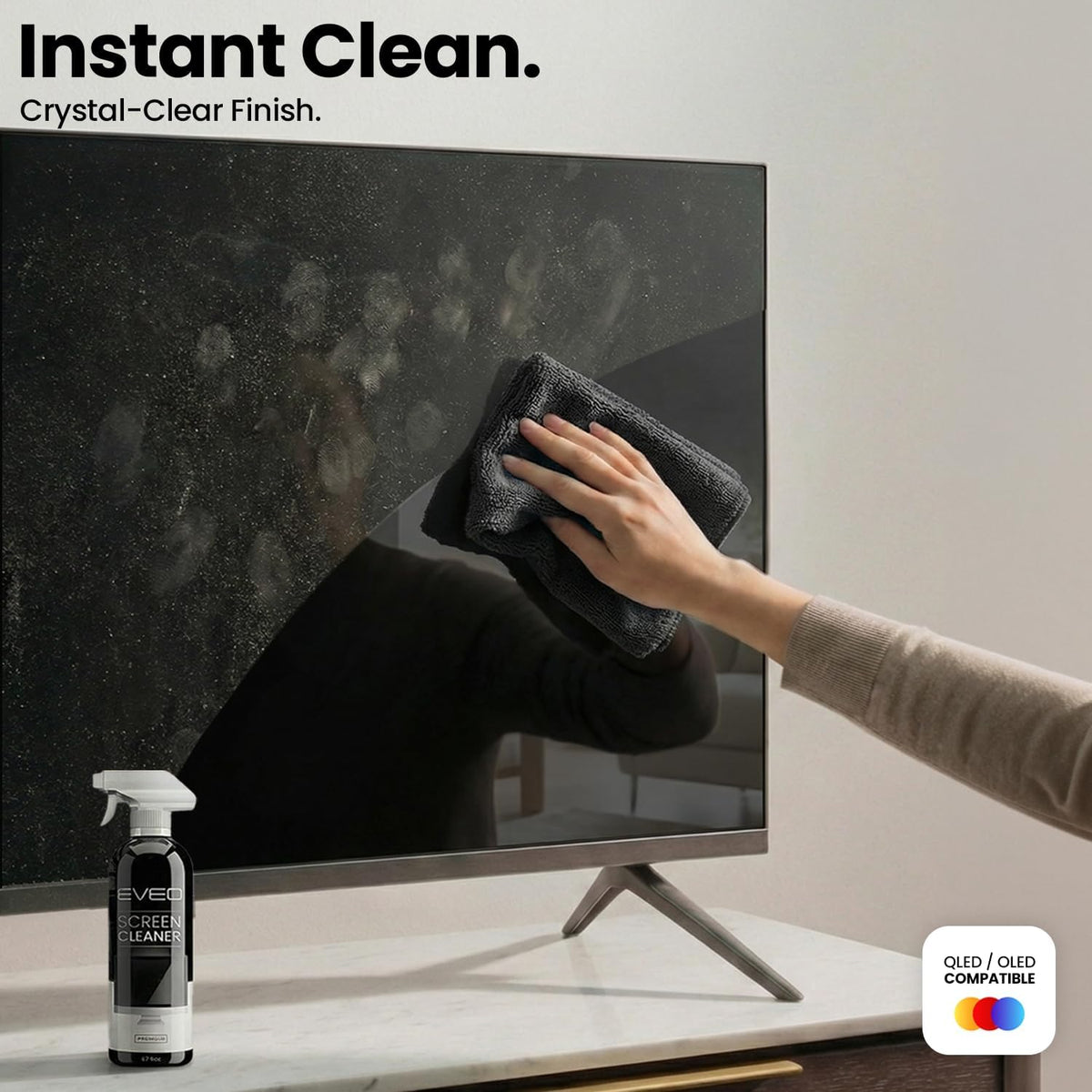
How to Clean a TV Screen Safely: A Professional Guide to a Clear, Streak-Free Display
Dust, fingerprints, and smudges on a TV screen do more than look unpleasant. They reduce picture clarity, increase glare, and make even a premium display look dull. But cleaning a modern TV screen requires care. OLED, LED, LCD, QLED, and other flat screens often have delicate coatings, so the wrong product or technique can leave streaks, scratches, or permanent damage.
This guide explains how to clean a TV screen safely, what to avoid, and why a dedicated tv screen cleaner like EVEO Screen Cleaner Spray is a better choice than household glass cleaners.
Why TV Screens Need Gentle Cleaning
Modern TV screens are not the same as windows or mirrors. Manufacturers consistently recommend using a soft microfiber cloth and avoiding harsh chemicals, abrasive materials, and excess moisture. Samsung advises turning off or unplugging the TV first, wiping gently with a clean microfiber cloth, and not spraying liquid directly onto the screen.
LG also recommends unplugging the TV before cleaning and using a microfiber cloth, noting that a soft cloth lightly dampened with lukewarm water can help remove fingerprints and smudges.
The key principle is simple: clean the screen gently, with minimal moisture, using materials designed for delicate surfaces.
What Not to Use on a TV Screen
Avoid using common household cleaners on your TV screen. Products such as window cleaner, kitchen cleaner, soap, scouring powder, ammonia-based sprays, alcohol-heavy cleaners, acetone, benzene, paint thinner, paper towels, and abrasive pads can damage screen coatings or scratch the surface.
Samsung specifically warns not to use window cleaner, soap, scouring powder, solvents such as alcohol, benzene, ammonia, or paint thinner, and not to use abrasive pads or paper towels.
Apple gives similar guidance for its screens and devices, advising users not to use window cleaners, household cleaners, aerosol sprays, solvents, ammonia, abrasives, or cleaners containing hydrogen peroxide.
That is why a proper tv screen cleaner should be screen-safe, gentle, and paired with a high-quality microfiber cloth.
The Best Way to Clean a TV Screen
Before cleaning, turn off the TV and unplug it. A dark screen also makes dust and fingerprints easier to see.
Start with a dry microfiber cloth. Gently wipe the screen to remove loose dust. Do not press hard. Excess pressure can damage pixels or leave pressure marks, especially on large, thin screens.
For fingerprints, oily marks, or smudges, spray your cleaner onto the microfiber cloth, not directly onto the TV. This matters because liquid can run into the bezel or openings and potentially damage the electronics. Samsung specifically warns not to spray water or any liquid directly onto the TV.
Then wipe the screen gently in smooth, controlled motions. Use a dry part of the microfiber cloth to finish and remove any remaining moisture or streaks.
Recommended Product: EVEO Screen Cleaner Spray

Purchase on Amazon
For an easy, controlled cleaning process, EVEO Screen Cleaner Spray is designed for screens such as TVs, computer monitors, laptops, phones, iPads, and other electronic displays.
The kit includes a large screen cleaner bottle and a soft plush microfiber cloth. The correct method is important: spray the liquid onto the microfiber cloth first, then wipe the screen until the dust, fingerprints, and smudges are removed. This follows the same general screen-care logic recommended by major electronics brands: use a soft cloth, avoid harsh household chemicals, and avoid spraying liquid directly onto the screen.
EVEO can be used as a tv screen cleaner, computer screen cleaner, laptop cleaner, monitor cleaner, phone screen cleaner, and electronic cleaner when used properly. It is suitable for common screen types including LCD, LED, CRT, and OLED screens, according to the product’s usage guidance.
How Often Should You Clean Your TV Screen?

For most homes, a light dusting once a week is enough. If the TV is in a high-touch area, near children, near pets, or in a room with more dust, clean it whenever fingerprints or smudges become visible.
Do not over-clean with liquid. Most routine cleaning should start with a dry microfiber cloth. Use a screen cleaner only when dusting alone is not enough.
Final Takeaway
The safest way to clean a TV screen is to treat it like a delicate surface, not like glass. Turn the TV off, use a soft microfiber cloth, avoid harsh cleaners, and never spray liquid directly onto the screen.
For a simple and effective routine, EVEO Screen Cleaner Spray is a practical tv screen cleaner for TVs, monitors, laptops, phones, and tablets. Used correctly, it helps remove dust, fingerprints, and smudges while supporting a clean, streak-free viewing experience.
The Art of Intentional Flow